
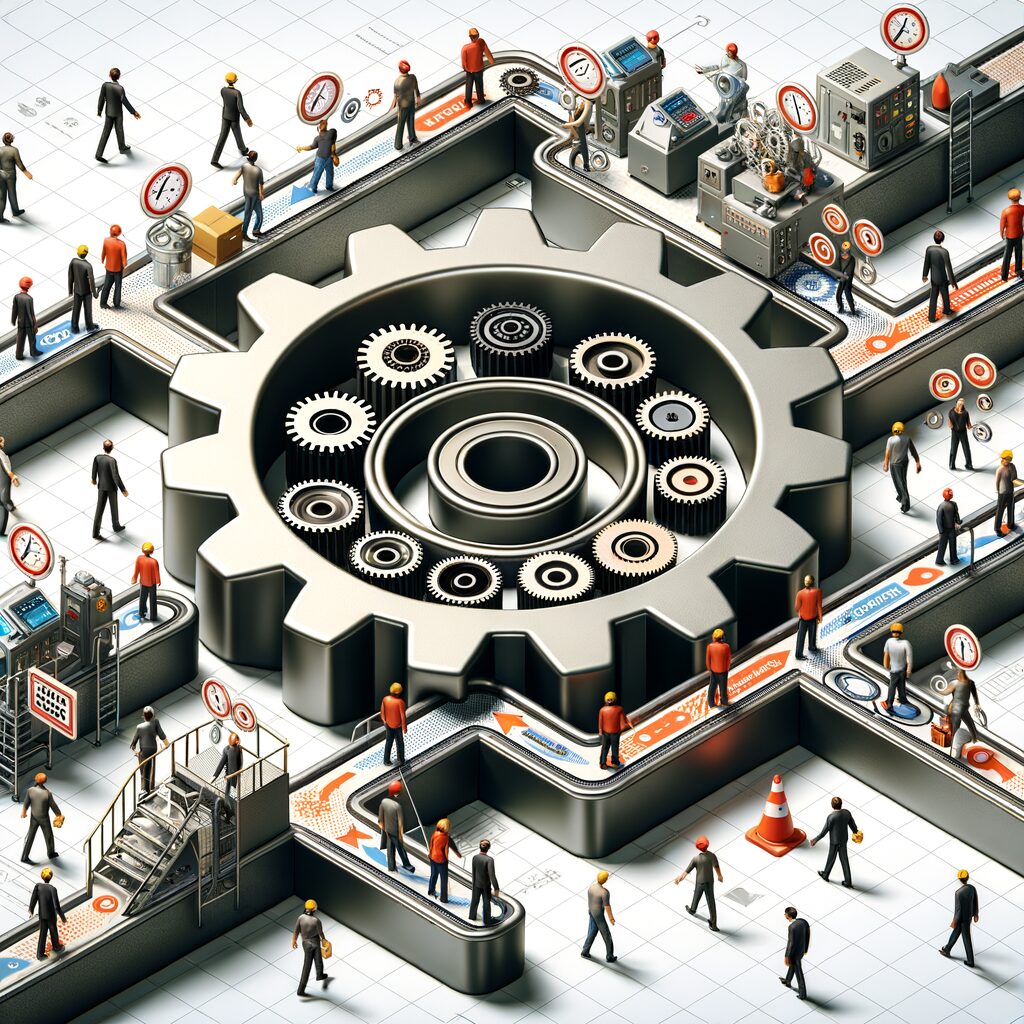
Designing Human-in-the-Loop Automation: Where to Place People for Safer, Faster AI-Driven Workflows
You’ve watched an algorithm misclassify an urgent customer complaint as noise, and felt that tight drop in your stomach—the kind that comes when an SLA is breached, a deal slips away, or an employee’s application is mishandled. The promise of AI is speed and scale, but the real risk is handing critical decisions to a system that doesn’t yet share your context, priorities, or judgment. Human-in-the-loop (HITL) design is the antidote: not a retreat from automation, but a surgical integration of people where their judgment matters most.
This article gives a practical framework for deciding exactly where to place humans so workflows remain fast, safe, and continuously improving. You’ll get patterns to apply, concrete escalation and confidence rules to define, metrics to watch, tool choices to consider, and change-management tactics to get teams aligned.
A simple practical framework
- Map the decision points and outcomes
- Break the process into discrete decision nodes (e.g., qualify lead, approve offer, refund ticket).
- For each node, identify the potential outcomes and their downstream impact: revenue risk, compliance exposure, customer satisfaction, employee morale.
- Classify by volume, risk, and ambiguity
- Volume: how many inputs per day/week?
- Risk: what happens if the decision is wrong?
- Ambiguity: how often will edge cases or context be needed?
- This triage tells you where automation will help most, and where humans must stay involved.
- Choose a HITL pattern
- Pre-screen / auto-reject / flag: let models filter obvious negatives or positives, auto-reject low-value noise, and flag ambiguous or risky items for human review.
- Human verification for high-impact outcomes: require explicit human approval when financial, legal, or reputational consequences exceed a threshold.
- Batch review for low-risk cases: consolidate many similar low-risk items into a short human review session to reduce context switching and fatigue.
- Define triggers and confidence thresholds
- Use model confidence scores to route items. High confidence -> auto-action. Low confidence or borderline confidence -> human.
- Define business-grounded thresholds. For example: if the model predicts “eligible for refund” with 95% confidence, auto-issue; if 60–95% confidence, send to human; below 60%, escalate to senior reviewer.
- Include context-based triggers: customer status (VIP), legal flags, or recent escalations should override confidence thresholds.
- Build feedback loops that retrain and improve
- Capture human decisions and corrections as labeled data.
- Prioritize retraining on cases with high disagreement or high impact.
- Maintain an “edge case” store to analyze failure modes and adjust either the model or the decision rules.
Patterns in practice (how to place people)
- Pre-screen / auto-reject / flag: Useful for noisy, high-volume inputs. Example: a sales ops team uses a classifier to drop spam or unqualified leads automatically, while leads that look promising but low-confidence are flagged to a human rep who can add context. This reduces distraction while preserving opportunities.
- Human verification for high-impact outcomes: Use when wrong decisions carry real cost. Example: in HR, a model may narrow candidate pools, but final interview outcomes or offer decisions go to a human hiring manager who considers soft signals the model can’t see.
- Batch review for low-risk cases: Group low-stakes claims, returns, or policy exceptions into short review windows. This preserves throughput and concentrates human attention, lowering cognitive load and interruptions.
Measuring success: the metrics that matter
- Accuracy and error type: Track both overall accuracy and the kinds of errors (false positives vs false negatives). Which errors hurt the business most?
- Throughput and latency: Monitor end-to-end cycle time with and without human steps. Are humans creating unacceptable bottlenecks?
- Human burden and interruption cost: Measure time per review, queue wait times, and reviewer idle/overload patterns. Optimize for fewer context switches and smarter batching.
- Escalation rate and rework: How often do escalations occur? Are human decisions reversed later? High rework suggests either thresholds are wrong or training data is insufficient.
- Model drift indicators: Monitor shifts in input distributions and rising disagreement between model and human reviewers.
Tooling: what to pick and why
- Auto-labeling & weak supervision: Use auto-labeling frameworks to bootstrap training sets, but treat them as starting points. They speed labeling but require human curation for edge cases.
- Annotation interfaces: Pick tools that let humans annotate quickly with context (attachments, conversation history), keyboard shortcuts, and quality checks. UX here directly affects review speed and accuracy.
- Workflow orchestration: Implement a system that routes cases based on confidence, context, and SLAs. Orchestration should handle retry logic, priority overrides, and auditing for compliance.
- Telemetry & MLOps: Integrate logging of model scores, human decisions, timestamps, and feature drift signals to feed back into model retraining cycles.
Short, concrete examples
- Sales ops: A lead-scoring model processes hundreds of inbound leads. 60% are low-confidence spam and are auto-rejected; 30% are high-confidence qualified and get routed to reps immediately; the remaining 10% are flagged for a human rep to review in a daily batch. Team burden drops, and reps spend time where judgment yields most value.
- HR decisions: Resume parsing and role-fit prediction reduce initial screening time. For managerial roles, any candidate with a predicted hire score in the mid-range is escalated to a hiring lead for interview selection. Final offers require human sign-off when compensation bands exceed predefined thresholds.
- Customer escalations: Support triage auto-resolves common, low-value issues. When a ticket is flagged as high sentiment risk, high monetary value, or shows an anomaly in model confidence, it is immediately escalated to a senior agent who sees customer history and can make judgment calls.
Change management: getting people to trust the loop
- Start small and measurable: Pilot a single node, measure the outcomes, then expand. Quick wins build trust.
- Make decisions reversible and visible: Show reviewers the model reasoning, confidence, and an audit trail. Transparency reduces “automation anxiety.”
- Set SLAs and workload rules: Define clear SLAs for human review to avoid backlog and resentment. Use batching to protect attention.
- Train reviewers and reward accuracy: Invest in onboarding reviewers on how to interpret model outputs. Recognize the value of high-quality human labels.
- Iterate on ergonomics: Remove friction—reduce clicks, surface relevant context, and allow bulk actions when appropriate.
Final thought
Designing HITL automation is less about avoiding automation and more about surgical placement of human judgment to amplify what machines do well and to catch what they don’t. When you map decisions, classify risk and volume, choose the right pattern, and close the feedback loop, you get workflows that are faster, safer, and continuously improving.
If you’re looking to put this into practice, MyMobileLyfe can help you evaluate where to insert human oversight, set confident thresholds and escalation paths, choose the right tooling, and build the feedback mechanisms that keep models honest and workflows efficient. Learn more about how MyMobileLyfe helps businesses use AI, automation, and data to improve productivity and save money: https://www.mymobilelyfe.com/artificial-intelligence-ai-services/












































































































































































Recent Comments