Posts Tagged
‘Human Resources’

Home / Human Resources

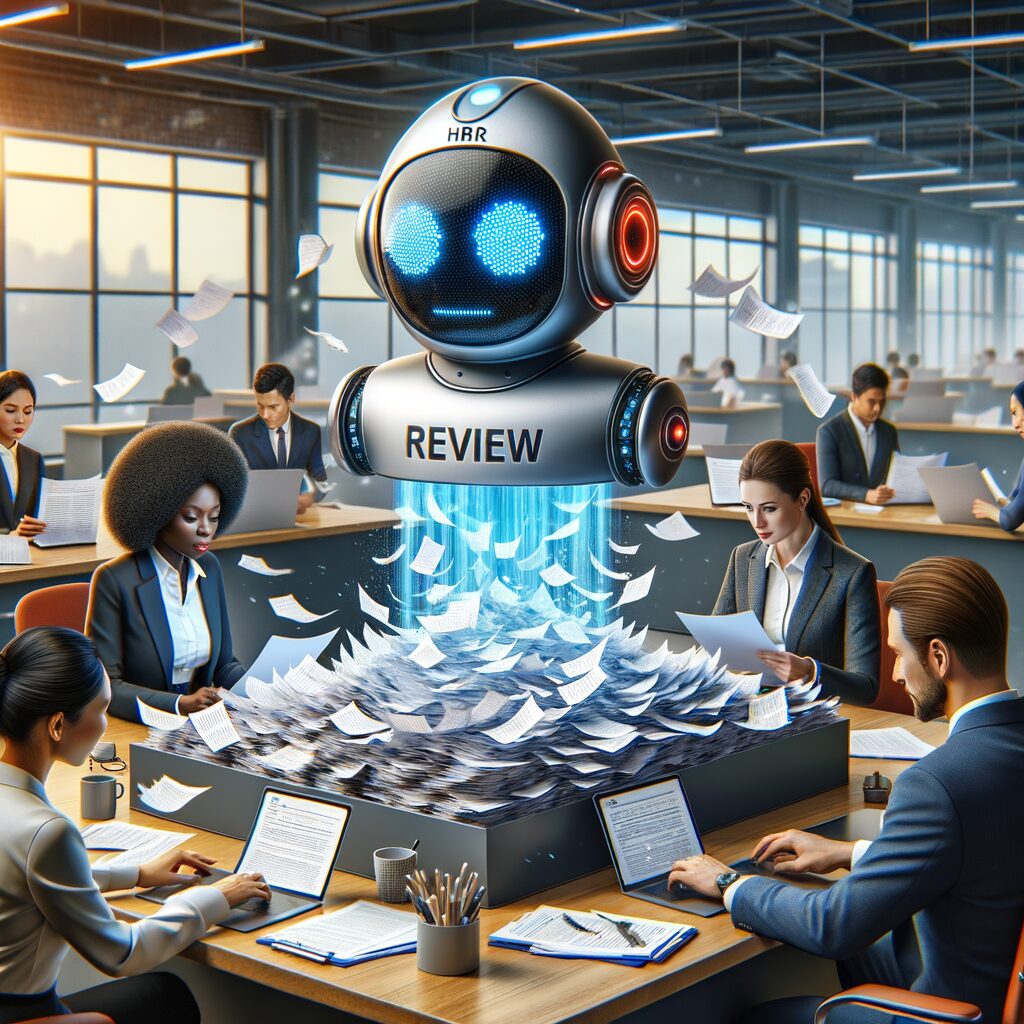
There’s a particular kind of exhaustion that lives in HR in the week before performance reviews are due: the soft click of too many spreadsheet tabs, the paper cuts of PDFs being stitched together, the hollow dread when a manager emails asking for “any narrative” with a two-hour deadline. Meanwhile, pulse surveys return a handful of open-text comments that feel like cold water poured over a checklist—fragmented, hard to act on, easy to ignore.

That daily friction costs more than time. It erodes manager morale, delays meaningful coaching, and leaves early signs of disengagement buried in noise. The good news: modern AI and simple automation don’t replace judgment; they free it. They reduce repetitive work, surface patterns, and hand you concise, actionable inputs so people can do what people do best—coach, decide, and connect.

What AI can realistically do for HR right now

  • Summarize qualitative feedback: Natural language processing (NLP) can read hundreds of free-text responses and distill themes and representative quotes, so you see the signal without reading every line.
  • Draft performance narratives: Using goal records, activity logs, and prior feedback, AI can produce draft review language that managers can edit and approve—saving time while supporting consistency.
  • Automate pulse surveys and trending dashboards: Schedule short surveys, automatically aggregate results, and visualize trends so managers and leaders spot issues quickly.
  • Detect early sentiment shifts: Sentiment analysis flags changes in tone across teams or roles, helping you intervene before a disengaged employee becomes a departing one.

A practical step-by-step roadmap for implementation

  1. Start by mapping the data you already have
    • Critical sources: your HRIS (employee records, job roles), performance management system (goals, prior reviews), collaboration tools (Slack channels, meeting calendars), project/task systems (Jira, Asana), and employee survey history. You don’t need everything at once—identify what addresses the most painful bottlenecks.
  2. Define the outcomes and KPIs before you wire systems together
    • Examples: cut review prep time per manager, improve response rates on pulse surveys, reduce time-to-resolution for flagged morale issues. Choose measurable indicators you can track month over month.
  3. Design privacy and bias safeguards early
    • Data minimization: only ingest fields needed to generate insights.
    • Consent and transparency: tell employees what data is used and why; offer opt-outs where feasible.
    • Anonymization: when surfacing themes from surveys, aggregate to a level that prevents identifying individuals.
    • Bias checks: periodically review model outputs for skew against demographic groups and run simple audits (sample checks, calibration sessions).
  4. Build a human-in-the-loop workflow
    • Always present AI outputs as suggestions, not final text. Require manager review for review narratives and HR validation for escalations from sentiment analysis.
    • Create a clear action path: AI flags → human reviews → documented action or closed item.
  5. Choose tools and integrate incrementally
    • Start with one workflow—e.g., auto-drafting performance narratives or automating pulse surveys—and expand once the team is confident.
  6. Measure, iterate, and communicate
    • Track your KPIs, solicit manager feedback, and share wins with staff. Clear communication increases trust and response rates.

Lightweight tool categories and vendor options for small and mid-sized teams

  • HRIS / Core HR: BambooHR, Gusto — manage employee records, roles, and basic reporting.
  • Performance & Reviews: 15Five, Lattice, Leapsome — built to run review cycles and store goals; many offer APIs for automation.
  • Pulse & Engagement Surveys: Officevibe, TINYpulse, SurveyMonkey — good for short, recurring surveys and anonymity settings.
  • NLP & Sentiment Platforms: MonkeyLearn, Amazon Comprehend, Google Cloud Natural Language, Hugging Face models — these can analyze text data and return themes and sentiment scores.
  • Automation / Integration: Zapier, Make (Integromat), Workato — stitch systems together without heavy engineering.
  • AI Writing Assistants: tools and APIs that can craft initial review drafts from structured inputs (goals, achievements, manager notes).

Pick vendors that prioritize clear APIs and straightforward export/import capabilities. For many SMBs, a combination of their HRIS + a pulse tool + a lightweight NLP service and an automation layer is enough to move the needle quickly, without a heavy implementation lift.

How the workflow plays out, practically

  • Pulse survey automation: schedule a three-question survey every two weeks, route anonymized open-text to an NLP engine that returns top themes and severity flags. A dashboard shows trending themes; when a theme crosses a predefined threshold, HR assigns an owner.
  • Performance review drafting: pull goals, recent achievements, and prior feedback into an AI assist. The manager receives a draft narrative with suggested ratings and highlighted examples; they edit, add context, and submit. HR reviews for calibration before finalization.

What to expect (and where to be cautious)

  • Real gains come in time and focus, not magical accuracy. Expect drafts that save managers time but require editing.
  • Privacy and compliance are non-negotiable. If you operate across jurisdictions, consult legal counsel for GDPR, CCPA, and local employment laws before ingesting sensitive data.
  • Avoid over-automation. Do not let AI replace one-on-one conversations or signal dampening. The goal is to increase bandwidth for meaningful human interactions.
  • Guard against model drift and bias. Periodic audits and manual spot checks should be built into your quarterly rhythm.

Communicating the change to your people

  • Tell employees what you’re automating and why: “We’re automating the time-consuming parts of review prep so managers can spend more time coaching.”
  • Explain privacy safeguards and give clear routes to ask questions or opt out.
  • Share early wins transparently: faster review turnarounds, more actionable survey themes, or examples of how flagged sentiment led to improvements.

Final note: how a partner can help

If this roadmap sounds practical but your team lacks the bandwidth to stitch these pieces together, a partner can accelerate the work. MyMobileLyfe specializes in helping businesses apply AI, automation, and data to improve productivity and reduce costs. They can help you map the right data sources, implement privacy-first analytics, set up human-in-the-loop workflows, and deliver dashboards and automations tailored to your size and needs. Learn more about their AI services at https://www.mymobilelyfe.com/artificial-intelligence-ai-services/.

Free your HR team to do higher-value work. Let AI handle the grunt work of compiling, summarizing, and surfacing signals—so people can spend their time where it matters: coaching, connecting, and making smarter decisions.


You know the scene: a new hire’s desk is set up, the laptop is imaged, and yet they can’t log into the core systems. HR has an inbox full of follow‑ups. The hiring manager juggles last‑minute permissions and a calendar that never seems to accommodate a proper welcome. That awkward silence on Day One — the new person scrolling a half‑filled checklist, unsure whom to ask — is not just embarrassing. It’s costly. It saps momentum, makes managers reactive instead of strategic, and turns what should be a bright beginning into an administrative slog.

The good news is that you can eliminate that friction. By combining large language models (LLMs) to produce tailored learning content and communications, workflow automation and robotic process automation (RPA) for provisioning and task orchestration, and analytics for monitoring progress and predicting risk, organizations can build onboarding flows that feel personal and run itself. Below is a practical roadmap to make that transformation real.

What a modern automated onboarding journey looks like

  • A new hire submits paperwork and triggers an event in your HRIS.
  • An automated pipeline provisions accounts, requests access, schedules 1:1s, and populates a personalized learning plan in the LMS.
  • LLMs generate role‑specific microlearning, FAQs, and a conversational guide the hire can query in Slack or Teams.
  • Analytics track completion, engagement, and behavioral signals; if a hire falls behind, the system alerts HR or the manager for timely intervention.

Implementation steps — a pragmatic playbook

  1. Map your current onboarding end‑to‑end. Capture every handoff, approval, and waiting period. Identify the tasks that are rule‑based and repetitive (ideal automation candidates) versus those requiring human judgment.
  2. Define new hire personas and success criteria. Different roles need different sequences — sales, engineering, customer success. Know what “productive” looks like for each.
  3. Choose integration touchpoints. Decide which systems will trigger and receive events (HRIS, LMS, IAM/SSO, ITSM, calendar, collaboration tools).
  4. Start small with a pilot. Automate a subset of hires (a single role or location) to validate the flow and collect feedback.
  5. Iterate on content and logic. Use LLMs to draft role‑specific onboarding modules, then have subject matter experts review and refine.
  6. Scale once stable. Expand to more roles, languages, and geographies, maintaining measurement and governance.

Integration points — what to connect and how

  • HRIS (Workday, BambooHR, ADP): use hire and status change events as triggers. Webhooks and APIs let your automation platform react the moment a new record appears.
  • Identity and access (Okta, Azure AD, JumpCloud): use SCIM or provisioning APIs to create accounts and assign groups based on role attributes.
  • LMS (Cornerstone, Moodle, TalentLMS): push personalized course playlists and track completion via LRS or API.
  • ITSM/ticketing (ServiceNow, Jira Service Management): auto‑create hardware and software requests; use approvals for exceptions.
  • Collaboration and calendar (Slack, Microsoft Teams, Google Calendar, Outlook): send welcome messages, schedule mentor sessions, and create persistent Q&A channels.
  • Email and document signing (DocuSign, Adobe Sign): integrate e‑signature events into the workflow to close paperwork loops automatically.

How LLMs, automation and analytics work together

  • LLMs (large language models) create onboarding playbooks, generate microlearning assessments, and power a natural language assistant that answers “How do I access the data warehouse?” tailored to the hire’s role.
  • RPA and workflow automation handle deterministic tasks: account provisioning, group assignments, license allocation, hardware orders, and recurring reminders.
  • Analytics aggregate signals — task completion rates, message engagement, time to first contribution — and surface predictive flags so HR can intervene before problems snowball.

Sample automations that reclaim time

  • Auto‑provisioning pipeline: On hire event, create user accounts, assign SSO groups, provision software licenses, and log hardware shipments via integrations — eliminating multiple manual tickets.
  • Personalized learning path: Based on job title and seniority, auto‑enroll hires into required courses, and generate a tailored sequence of short microlearning modules via LLM templates.
  • Calendar orchestration: Automatically schedule recurring check‑ins with manager and mentor, plus onboarding cohort sessions, respecting both parties’ calendars.
  • Onboarding bot in chat: Provide a persistent bot that answers FAQs, posts reminders, and escalates unresolved issues to HR.
    Each of these automations eliminates repetitive touches and reduces the number of manual coordination hours managers and HR would otherwise spend.

Change management — getting people aligned

  • Start with stakeholders: HR, IT, hiring managers and legal must agree on the lights‑on requirements. Their early involvement avoids rework.
  • Pilot fast and visible: Deliver a small, high‑impact pilot so skeptics can see real improvements.
  • Train managers and mentors: Automation doesn’t remove human responsibility. Train people on the new role of managers as coaches, not task clerks.
  • Communicate benefits clearly: Show how saved time will be reallocated to higher‑value work (mentoring, role clarity, team building).
  • Build feedback loops: Capture new hire feedback at Day 3, Day 30, and Day 90 and feed improvements back into the LLM templates and workflow logic.

KPIs to measure success and when to scale

  • Time‑to‑productivity: Measure the time from start date to when the hire completes core tasks or achieves early goals.
  • Onboarding completion rates: Track the percentage of hires that finish mandatory steps by set milestones (Day 3, Day 30).
  • Manager hours saved: Use time tracking or manager surveys to estimate hours reclaimed from administrative tasks.
  • New hire engagement and NPS: Collect qualitative scores to gauge sentiment about the onboarding experience.
  • Early attrition and performance indicators: Monitor retention at 30/90 days and any correlation with onboarding completeness.
    Tie these KPIs to pilot objectives and use them as gating criteria before broader roll‑out.

Risk, governance, and privacy

Automation touches access and personal data, so include security and compliance early. Establish approval gates for elevated permissions, log every provisioning action, apply least‑privilege principles, and keep data usage and LLM prompt content within privacy policies and consent frameworks.

Final thoughts

The contrast between a seamless, human‑centered onboarding experience and the old, fractured version is stark: one energizes a new hire and sets a clear path to contribution; the other creates delays, frustration, and lost momentum. You don’t need to rebuild everything at once. Focus on high‑value, repeatable tasks, stitch systems together, and let AI personalize the human touch where it matters most.

If you want help defining the pilot, integrating HRIS and LMS systems, or using AI, automation, and analytics to reduce manual work and accelerate productivity, MyMobileLyfe can help. They specialize in applying AI, workflow automation, and data-driven strategies to streamline onboarding and save organizations time and money. Learn more at https://www.mymobilelyfe.com/artificial-intelligence-ai-services/.

You know the scene: a new hire stares at a 200‑page PDF or a sprawling LMS catalog and slowly shuts down. A manager schedules yet another one‑hour training review because the last one “didn’t stick.” A compliance deadline looms and your team scrambles to chase completion rates across five different systems. That low, nagging cost—hours of lost productivity, inconsistent outcomes, and repeated training cycles—sits under every spreadsheet and workflow. Adaptive AI‑powered microlearning is built to attack that cost where it hurts: the human time and cognitive overload that make training expensive and ineffective.

What is adaptive microlearning?

  • Microlearning splits knowledge into small, single‑objective units — five‑minute lessons, short quizzes, or a quick how‑to embedded in a workflow.
  • Adaptive AI layers intelligence on top: it assesses an individual’s current skills and learning behavior, then dynamically selects the right micro‑lesson at the right time and in the right format (email, mobile push, in‑app nudge, chat).
  • The result is personalized, context‑aware training that reduces wasted time and reduces the number of touchpoints needed for real competence.

How AI identifies what to teach

AI models can use multiple signals to detect gaps and opportunities:

  • Pre‑assessments and quick diagnostics to establish a baseline.
  • Event data: ticket resolutions, CRM activity, error logs, support interactions.
  • LMS completion patterns and quiz performance.
  • Behavioral signals: which content formats a person engages with, time of day they learn best.
    Combining these inputs, a recommendation engine sequences bite‑sized lessons—often with spaced repetition and practical exercises—so each interaction moves the employee a measurable step toward proficiency.

Where microlearning works best

  • Onboarding refreshers: Instead of an information dump, new hires receive daily short lessons tailored to their role and the systems they’ll use first.
  • Compliance refreshers: Short reminders tied to real transactions (e.g., before a high‑risk process) keep knowledge current without heavy classroom overhead.
  • Upskilling for new tools: When a team gets a new CRM or ticketing system, microlearning nudges guide each person through the exact tasks they need to perform.
  • Role transitions and promotions: Rapidly fill the specific gaps someone needs to succeed in a new job without sidelining them for days of training.

Practical steps to pilot and scale an adaptive microlearning program

  1. Start with a painful, high‑value use case
    • Pick one workflow where ramp time is long or errors are costly (onboarding, a recurring compliance task, or a frequently misused tool).
  2. Define competency outcomes and signals
    • Translate the job into measurable behaviors. What actions indicate proficiency? What logs or KPIs capture them?
  3. Choose a platform and integration approach
    • Evaluate off‑the‑shelf microlearning platforms and APIs, or use LTI/SCORM‑compatible modules to plug into an LMS. Ensure SSO and HRIS integration for user data syncing.
  4. Curate or create bite‑sized content
    • Convert existing material into one‑objective lessons (screenshots, 90‑second videos, 3‑question simulations). Tag content with metadata (skill, role, prerequisite).
  5. Launch a small pilot
    • Run with a cohort of volunteers, monitor engagement and proficiency signals, and iterate fast.
  6. Scale with governance
    • Establish content ownership, update cadences, and monitor quality. Expand to more roles as the model proves itself.

Integration points to plan for

  • HR/HRIS for role data and hiring events.
  • SSO/identity providers to simplify access.
  • LMS for legacy content and reporting.
  • CRM, ticketing, or performance systems to feed behavioral signals.
  • Chat and collaboration tools (Slack, Teams) and mobile apps for delivery.

Metrics that matter

  • Time‑to‑proficiency: how long until an employee performs key tasks independently?
  • Knowledge retention: improvement in spaced‑recall quiz results over weeks/months.
  • Performance impact: changes in task completion time, error rates, or customer satisfaction.
  • Engagement: active learners, reinforcement interactions, lesson completion rates.
  • Cost metrics: training hours reduced, reduced live‑training spend, and operational cost avoidance.

A simple ROI framework you can run this afternoon

  1. Baseline the cost of current training: sum live training hours per role, average hourly cost, and the frequency of recurring refreshers.
  2. Estimate time reduction from microlearning: conservatively, identify which activities will be shortened or removed.
  3. Calculate savings: (Hours saved per employee × hourly rate × number of employees) − (platform + content + integration costs).
  4. Add performance benefits: approximate reductions in error costs or productivity gains as an upside.
  5. Run sensitivity scenarios: best, base, and conservative outcomes to see the payback window.

Common pitfalls and how to avoid them

  • Content chaos: dumping materials into micro‑modules without editorial control creates noise, not learning. Use a small cross‑functional team to tag and pare content by objective.
  • Bias in assessments: models will reflect biased inputs. Protect fairness by auditing recommendations across roles and demographics and by using human oversight in promotion‑critical pathways.
  • Privacy oversights: training systems touch personal and performance data. Limit data collection to what’s necessary, encrypt transit and storage, and follow local data laws.
  • Change resistance: microlearning changes how people work. Incorporate managers early, make success visible with dashboards, and treat the pilot as an experiment.
  • Over‑automation: not every learning need should be automated. Keep human coaching where nuance and judgment matter.

Delivery modes that actually get used

  • Email or SMS micro‑nudges timed to real tasks.
  • Mobile apps with push notifications and offline access.
  • In‑app tutorials or tooltips embedded where the work gets done.
  • Chatbots and conversational agents for quick Q&A and just‑in‑time help.

Implementation checklist (quick)

  • Identify your first use case and measurable outcome.
  • Map data sources and integration needs.
  • Create a content backlog and tagging scheme.
  • Pick a platform with strong APIs and mobile support.
  • Pilot with a small cohort and measure time‑to‑proficiency.
  • Iterate, add governance, and scale.

If your organization is carrying the quiet drag of inefficient training—long ramp times, repeated classroom cycles, compliance headaches—adaptive microlearning removes that drag by meeting people where they work and learn. It turns training into a continual, measurable productivity engine rather than an occasional expense.

MyMobileLyfe can help you design and deploy adaptive AI microlearning solutions that tie into HRIS, CRM, and operational systems, and automate content delivery and analytics so teams reach competence faster and at lower cost. Visit https://www.mymobilelyfe.com/artificial-intelligence-ai-services/ to see how they can help you use AI, automation, and data to improve productivity and save money.

You know the feeling: a new hire’s desk is set, the email is created, and yet—by day five—they’re still asking where the expense form lives, who approves time off, and how to run the core reports. Meanwhile, HR and managers are buried in repetitive tasks: printing forms, copying the same slide deck, scrambling to provision accounts, and delivering the same orientation talk for the 12th time this month. That friction is more than annoying; it costs time, morale, and revenue as new people take longer to contribute.

There’s a practical fix that doesn’t require a team of engineers or a huge LMS contract. AI and low-code automation let small and mid-size organizations build a personalized onboarding workflow that gets people productive faster while preserving the human parts that matter. Here’s a clear, step-by-step way to do it.

Step 1 — Map the reality, not the ideal

Before adding smart tools, list every onboarding touchpoint: paperwork, account provisioning, hardware delivery, mandatory compliance training, job-shadowing, manager check-ins, and any role-specific first-week tasks. Note who does each item, how long it takes, and when it ideally happens.

Why this matters: You’ll separate truly critical steps from “we always did it this way,” which keeps your automation focused and manageable.

Step 2 — Use AI to create role-specific learning paths

Take your task map and feed role descriptions, required skills, and company SOPs into an LLM (e.g., ChatGPT or an enterprise counterpart) or an AI-enabled LMS that can generate personalized curricula. The AI can turn a job profile into a prioritized sequence of micro-lessons: essential processes in week one, tools and deeper topics in weeks two and three.

What this looks like:

  • For a customer-support hire: Day 1 micro-modules on ticket triage, Day 2 on escalation, then scenario-based micro-assessments.
  • For a sales rep: Quick modules on CRM hygiene, product objections, and a 15-minute role-play assignment.

Tools to try: Use ChatGPT/GPT-4 for initial content outlines; tools like EdApp, Lessonly, or TalentLMS to host microlearning; or enterprise AI features built into Docebo or Cornerstone.

Step 3 — Turn training into short, focused microlearning

Long slide decks breed boredom. Break training into 3–10 minute modules: a short explainer video, a one-page checklist, a 5-question quiz, and a sandbox task. Microlearning respects attention spans and lets new hires complete measurable items between meetings.

Easy content sources:

  • Record a 90-second Loom of “How to submit an expense” instead of a 12-slide deck.
  • Use AI to convert SOP documents into quiz questions or to draft practice scenarios.
  • Embed quick how-to videos and checklists directly in Slack, Notion, or the LMS.

Step 4 — Automate paperwork and account provisioning with low-code integrations

Manual account creation is where delays multiply. Use low-code tools to automate the heavy lifting: trigger account creation when HR marks a candidate as hired, auto-send NDAs for e-signature, and provision access based on role.

Common stacks:

  • HRIS: BambooHR, Gusto, or Rippling as the authoritative source.
  • E-signature: DocuSign or HelloSign.
  • Provisioning: Okta or Google Workspace Admin with automated scripts.
  • Low-code orchestration: Zapier, Make (Integromat), or Microsoft Power Automate to connect these pieces.

Example flow: New hire status in BambooHR → Zapier triggers DocuSign NDA → On completion, Zapier calls Okta to create accounts and adds the person to role-specific Slack channels and a Google Drive folder.

Step 5 — Schedule mentoring and human checkpoints with smart calendar tools

Automation should not replace human connection. Smart scheduling tools ease the coordination. Use Calendly or Microsoft Bookings to set recurring mentor check-ins, and integrate with Slack to remind both parties and capture meeting notes.

Include structured human moments:

  • Day 3: 30-minute mentor meetup for “what’s confusing?”
  • End of week 1: manager review to confirm access and initial tasks.
  • 30/60/90-day goal-setting meetings scheduled automatically.

Step 6 — Measure readiness with automated assessments and analytics

Replace gut feeling with signal. Use short automated quizzes, task completions, and mentor feedback forms to measure readiness. Pipe results into a simple dashboard or Google Sheet to track time-to-first-billable-task, training completion rates, and recurring bottlenecks.

Tools and methods:

  • Assessment: Typeform, Google Forms, or LMS quizzes.
  • Analytics: Use LMS analytics, Looker Studio, or Power BI for a visual dashboard.
  • Alerts: Automated emails or Slack notifications when someone fails a critical assessment so a manager can step in.

Implementation checklist for small teams with limited IT support

  • Week 0: Inventory onboarding tasks and owners (1–2 hours).
  • Week 1: Choose your base HRIS and one low-code tool (Zapier/Make) and an LMS or hosting platform (Notion, Google Drive, or Light LMS).
  • Week 2: Use an LLM to draft 3–6 role-specific micro-modules (short prompts, iterate).
  • Week 3: Create the first automated workflow: new hire trigger → e-signature → account provisioning → welcome email with learning path.
  • Week 4: Add mentor scheduling and two automated assessments. Launch pilot with 1–2 hires.
  • Ongoing: Collect feedback, refine modules, and add analytics.

Keep it minimal: start with the absolute essentials—forms, accounts, and a 3-module learning path—then expand.

Preserve compliance and the human touch

Automation can tidy your process without making it sterile. For compliance:

  • Keep audit trails for e-signatures and provisioning (DocuSign, Okta logs).
  • Limit access by role and use single sign-on and password managers (1Password Business, LastPass).
  • Store training completion and certifications in your HRIS for easy reporting.

For human connection:

  • Use short video introductions from the manager and team; AI can help script these but the video should be real.
  • Maintain mentor check-ins and feedback loops; automation should free time for meaningful conversations, not eliminate them.
  • Tailor microlearning to the person—AI-generated personalization is valuable, but allow managers to override or augment it.

Common pitfalls and how to avoid them

  • Trying to automate everything at once. Start small and iterate.
  • Letting AI replace judgment. Use AI to draft and personalize; have humans approve critical compliance and role-specific content.
  • Ignoring edge cases. Maintain a manual fallback process for exceptions.

Final note: Where to get help

If this roadmap sounds doable but you lack the time or expertise to implement it, MyMobileLyfe can help. They specialize in helping businesses use AI, automation, and data to make teams more productive and save money. Whether you need an end-to-end onboarding automation, a pilot for one role, or help wiring your HRIS to provisioning and analytics, MyMobileLyfe can translate this plan into a working workflow. Learn more at https://www.mymobilelyfe.com/artificial-intelligence-ai-services/.

This isn’t about replacing human warmth with bots. It’s about removing the busywork that drowns your people and giving new hires a clear, human-led path to doing meaningful work sooner.

There’s a moment every HR leader knows too well: a new hire walks in, eyes bright, clutching paperwork, and within hours the brightness dims. They’ve been handed a stack of PDFs, a long to-do list, and three different people telling them different things about benefits and software logins. A manager spends the first week firefighting account requests and explaining where things are, rather than coaching. Someone from IT scrambles to assemble equipment. Everyone feels stretched thin — and the new hire’s momentum stalls before it even started.

That friction isn’t just annoying. It costs time, morale, and the momentum that turns a new employee into a productive member of the team. The remedy isn’t more paper or more meetings; it’s a rewire: combine AI-driven personalization, automation that executes predictable tasks, and low-code integrations that connect the systems you already use. The result: onboarding that feels like it was built specifically for each person, happens reliably, and preserves compliance without adding work.

Three pillars for modern onboarding

  1. Personalization with LLMs and microlearning
    Large language models (LLMs) can convert role descriptions, company policies, and team notes into a tailored onboarding plan in seconds. Instead of a generic week-one checklist, new hires receive a role-specific roadmap: the exact systems they need, a prioritized 30/60/90-day skill plan, and short microlearning modules—five- to ten-minute lessons—focused on the tasks they’ll actually perform. Personalization increases relevance and reduces overwhelm, so new hires hit the ground at the right speed.
  2. Automation and workflow orchestration
    Automation platforms let you orchestrate the tasks that consistently derail onboarding: account creation, equipment requests, calendar scheduling, security training enrollments, and benefits enrollment reminders. Workflows trigger on hire date or HRIS status, assign responsibilities, and escalate if tasks lag. The automation runs 24/7; people only get involved when judgment calls are required.
  3. Low-code integrations with HRIS and LMS
    Low-code connectors bridge your HRIS, learning management system (LMS), IT ticketing, and calendar tools so data flows reliably. No more manual copy-paste between systems, no missed steps because someone forgot to update a spreadsheet. With integrations in place, onboarding becomes repeatable and auditable — vital for compliance.

Practical steps to build a smarter onboarding program

  1. Map your onboarding journey
    Start with a clear map of the experience from offer acceptance through the first 90 days. Identify every touchpoint: paperwork, equipment, access provisioning, role training, manager check-ins, compliance courses, and cultural orientation. Mark which touchpoints require human decision-making and which are predictable and automatable.
  2. Choose tools focused on intent, not hype
    Look for three kinds of tools: an LLM or content personalization engine that can ingest your job descriptions and produce tailored plans; an automation/orchestration platform that can trigger and monitor tasks; and a low-code integration layer to connect your HRIS, LMS, ITSM, and calendar systems. Prioritize tools that support audit logs, role-based access, and easy rollback.
  3. Create role-specific microlearning
    Break training into short, actionable modules that map to actual on-the-job tasks. For example, instead of “Learn CRM,” deliver a 7-minute walkthrough on “How to create your first lead and log a call,” plus a short quiz and a task to complete within the CRM. Use the LLM to draft course copy and personalized suggested pacing, then have subject-matter experts validate it.
  4. Automate common admin tasks
    Automations should handle predictable requests: generate equipment orders, create accounts with role-appropriate permissions, enroll the hire in required courses, schedule recurring 1:1s, and send reminders with context. Make each workflow idempotent — safe to run multiple times — and include automated checks to confirm completion before proceeding to the next phase.
  5. Track progress with meaningful metrics
    Measure time-to-productivity (the time until a new hire completes key first deliverables), completion rates for mandatory training, and onboarding satisfaction scores from short pulse surveys at day 7, 30, and 90. Also track administrative hours saved: how many IT or HR tickets were automated away? These metrics guide where to iterate next.
  6. Pilot small, scale fast
    Start with a single role or team that has high volume or high pain. Implement the full journey for that cohort, run a short pilot (4–8 weeks), collect baseline metrics, and refine. Once reliable, expand to adjacent roles and standardize templates for scale.

Addressing compliance, privacy, and bias

Data privacy and compliance must be baked in from day one. Limit PII exposure to models and automations: use tokenization where possible, encrypt data in transit and at rest, and enforce least-privilege access for integrations. Maintain audit trails for training completion, account provisioning, and acknowledgment of policies.

LLMs can accelerate content generation, but they also risk hallucination or bias. Mitigate this by using human-in-the-loop validation for all role-specific materials, applying templates and guardrails to prompts, and logging content generation with version control so you can review changes. Regularly audit learning content and decision logic for biased assumptions — for example, job examples or pathways that unintentionally assume prior experience a candidate may not have.

Quick wins that show immediate value

  • Automate equipment and software provisioning so new hires have the right laptop and access on day one.
  • Deliver a personalized 30-day microlearning path that new hires can finish in small chunks, reducing overwhelm.
  • Schedule the manager’s first three 1:1 meetings automatically and provide managers with a suggested agenda tailored to the role.
  • Replace emailed checklists with a progress dashboard that both new hires and managers can view.

These changes remove repetitive work and give managers back the time to mentor — the only activity that truly accelerates productivity.

How to measure success without guesswork

Before you change anything, record your baseline: average days until a new hire completes their first billable task (or a role-appropriate equivalent), average number of IT/HR tickets per new hire, and satisfaction responses at day 30. After the pilot, compare time-to-productivity, reduction in tickets, completion rates, and satisfaction changes. Qualitative feedback from managers and hires tells you what to tweak; the numbers tell you what to scale.

A modest, structured investment in process and integration yields outsized returns: fewer administrative delays, faster learning, and a consistent experience that improves retention and morale.

If you want help getting there

Transforming onboarding from chaotic to calibrated is both technical and human work. MyMobileLyfe can help design the right mix of AI-driven personalization, automation workflows, and low-code integrations so your new hires feel seen, equipped, and productive — faster. They specialize in applying AI, automation, and data to real business workflows to improve productivity and reduce costs. Learn more at https://www.mymobilelyfe.com/artificial-intelligence-ai-services/ and get help building a pilot that proves value with minimal disruption.

When a new employee joins your company, the promise of fresh energy and ideas is often immediately dampened by the crushing weight of paperwork, scheduling conflicts, and endless email reminders. For HR managers and operations leaders, the manual onboarding process isn’t just tedious—it’s an uphill battle that drains precious resources and muddles the focus from strategic priorities. Each missed document, scheduling overlap, or uninspired welcome email chips away at both morale and compliance, creating ripples that tug at your entire organizational fabric.

If this sounds familiar, you’re not alone. Many small and medium-sized businesses find themselves trapped in the quagmire of manual onboarding tasks. But what if there was a way to reclaim your time, reduce costly errors, and make every new hire feel valued from day one, all without hiring extra staff or surrendering your personal touch? The answer lies in harnessing the transformative power of AI-driven automation.

The Hidden Cost of Manual Onboarding

Before exploring how AI can revolutionize onboarding, it is critical to understand what’s at stake. HR teams routinely spend hours—sometimes days—on routine activities like:

  • Collecting and verifying employee documents
  • Scheduling orientation sessions and mandatory trainings
  • Sending follow-up reminders to ensure timely completions
  • Recording and tracking compliance data

This administrative bulk often breeds frustration, mistakes, and delays. A missed signature on a compliance form or a forgotten training session can have legal repercussions or slow a new employee’s productivity. Equally damaging is the loss of engagement when new hires feel like they’re part of a bureaucratic conveyor belt rather than welcomed teammates.

The solution is not more people; it is smarter processes. Artificial intelligence and automation offer the tools to strip away labor-intensive tasks, freeing HR professionals to focus on what truly matters—building a supportive and inclusive workplace culture.

Unlocking Efficiency with AI-Powered Onboarding

Integrating AI into your onboarding workflow transforms this traditionally manual process into a streamlined, intelligent system that works around the clock. Here’s how to architect your AI-driven onboarding:

1. Optical Character Recognition (OCR) to Auto-Fill Documents

Handing over stacks of forms for new hires to complete—only to then manually input that data into your HR management system—is a glaring inefficiency. AI-powered OCR technology scans employee-submitted documents, instantly extracting critical information such as names, addresses, tax IDs, and banking details.

This automation eliminates transcription errors, accelerates document processing, and ensures your records are accurate and up-to-date. Employees appreciate the reduction in redundant data entry, and HR teams get to skip hours of tedious clerical work.

2. Intelligent Scheduling for Orientation and Training

Coordinating busy schedules for orientations and mandatory training sessions is one of the most painful parts of onboarding. AI-powered scheduling tools analyze calendars, location constraints, and role-specific requirements to automatically assign sessions. These systems also factor in trainer availability and optimal group sizes to maximize engagement.

Beyond logistics, intelligent scheduling personalizes training pathways—delivering relevant modules to each employee based on their department and previous experience. Automated calendar invites and reminders reduce no-shows and make the process transparent for everyone involved.

3. Automated Check-Ins to Ensure Compliance and Boost Engagement

After initial onboarding activities, follow-ups are crucial yet frequently overlooked. AI-enabled workflows can send personalized check-in sequences via email or SMS, confirming completion of trainings, collecting feedback, and answering common questions through integrated help resources.

These automated touchpoints keep new hires connected without burdening HR staff with micromanagement. The system tracks responses and escalates issues before they become problems, maintaining compliance and showing employees that their progress matters.

Step-By-Step Integration Strategies

Deploying AI automation requires careful planning to align with your existing HR infrastructure without disruption. Consider the following strategy:

  • Evaluate Your Current Systems: Review HRIS or payroll software to identify what data is currently captured and accessible. Choose AI tools that offer robust integration via APIs to avoid data silos.
  • Pilot the OCR Module: Start by digitizing a subset of employee document types. Test accuracy and tweak form formats to optimize scanning success.
  • Implement Intelligent Scheduling: Roll out AI scheduling for a specific training or orientation group and gather user feedback.
  • Launch Automated Check-Ins: Use phased communication sequences targeting new hires from previous steps.
  • Monitor and Iterate: Leverage analytics dashboards to track onboarding cycle times, completion rates, and error reductions. Use these insights for continuous improvement.

With incremental rollout and evaluation, your team can build trust in the new system and maintain control over the experience.

Prioritizing Data Security and Privacy

Speed and automation should never come at the expense of employee privacy or legal compliance. AI onboarding solutions must comply with regulations like GDPR or CCPA. Here’s how to protect sensitive data:

  • Use encrypted channels for data transmission and storage.
  • Limit access controls to authorized HR personnel only.
  • Maintain detailed audit trails of document handling.
  • Regularly update software to patch vulnerabilities.

Partnering with AI providers who prioritize these protocols ensures your workforce’s trust remains intact.

Quantifying the ROI: The Practical Benefits of Faster, Error-Free Onboarding

Transitioning to AI-driven onboarding might seem like a sizable upfront investment, but the returns are clear-cut:

  • Time Savings: Automation shrinks onboarding duration from days to hours, allowing HR to allocate resources to culture-building and talent development.
  • Error Reduction: Automated data capture reduces costly manual errors that could trigger compliance risks or payroll mismatches.
  • Employee Engagement: Streamlined processes improve new hire impressions, reducing early turnover and boosting productivity.
  • Cost Efficiency: Eliminating paper-heavy administrative steps cuts material and overhead expenses.

A simple ROI model compares personnel hours saved versus implementation costs, often showing breakeven within months. Beyond finances, the intangible value of happier employees and empowered HR teams pays dividends for company reputation and growth.

How MyMobileLyfe Can Elevate Your Onboarding Experience

Embracing AI-driven automation for onboarding is more than adopting new technology—it’s a transformative leap toward operational excellence. For business leaders and HR teams seeking a partner to navigate this evolution, MyMobileLyfe offers expert guidance and customizable AI solutions tailored to your unique needs.

From deploying OCR for effortless document processing to integrating intelligent scheduling tools and compliance check-ins, MyMobileLyfe leverages robust AI, automation, and data analytics to supercharge your HR workflows. Their team ensures seamless implementation, unwavering data security, and measurable results that enhance productivity and reduce overhead.

Don’t let manual onboarding drag your business down. Reach out to MyMobileLyfe today and discover how smart automation can lift your workforce processes into a future where every new hire feels welcomed, prepared, and valued—without the exhaustion of administrative backlog. The path to efficient, error-free onboarding begins here.

The talent acquisition landscape is undergoing a seismic shift, fueled by the rapid advancement and increasing accessibility of Artificial Intelligence (AI). Promises of streamlined processes, reduced costs, and more efficient matching of candidates to roles have captivated HR executives and recruiters alike. From automated resume screening and chatbots fielding initial inquiries to predictive analytics identifying top performers, AI is poised to revolutionize how organizations find, attract, and retain talent. However, this technological transformation isn’t without its pitfalls. The question looming large over the future of AI in HR is this: will it lead to smarter hiring, or simply amplify existing biases in the workforce?

For years, HR professionals have grappled with inefficiencies in traditional recruitment methods. Sifting through mountains of resumes, conducting repetitive initial screenings, and scheduling countless interviews are time-consuming tasks, often prone to human error and subjective judgments. This is where AI shines. AI-powered tools can automate these processes, freeing up recruiters to focus on more strategic activities like building relationships with candidates and developing employer branding initiatives.

The Allure of Efficiency: How AI is Transforming Talent Acquisition

One of the most impactful applications of AI in HR is in resume screening. AI algorithms can analyze thousands of applications in a fraction of the time it would take a human recruiter, identifying candidates whose skills and experience best match the job requirements. This drastically reduces the initial screening workload and helps ensure that qualified applicants are not overlooked. Furthermore, AI can be trained to identify keywords and phrases indicative of success in specific roles, further refining the selection process.

Chatbots are another popular AI application, providing instant answers to candidate questions about job openings, company culture, and benefits packages. This improves the candidate experience by providing immediate support and reduces the burden on HR staff to handle routine inquiries. By providing 24/7 availability and consistent information, chatbots can significantly enhance employer branding and attract top talent.

Beyond streamlining initial processes, AI can also be used to predict candidate success. Predictive analytics tools can analyze historical data on employee performance, identifying patterns and characteristics that correlate with high performance. This information can then be used to assess new candidates and predict their potential for success within the organization. By identifying candidates who are more likely to thrive in specific roles, AI can help reduce employee turnover and improve overall organizational performance.

Finally, AI-powered platforms are even being used to conduct video interviews, analyzing facial expressions, tone of voice, and word choices to assess a candidate’s personality and communication skills. This can provide valuable insights into a candidate’s suitability for a role beyond what can be gleaned from a traditional resume or phone screening.

The Dark Side of Algorithms: The Peril of Unintentional Bias

While the potential benefits of AI in HR are undeniable, the risk of perpetuating and even amplifying existing biases is a significant concern. AI algorithms are trained on data, and if that data reflects historical biases, the AI will inevitably learn and perpetuate those biases. This can lead to discriminatory hiring practices that disadvantage underrepresented groups.

For example, if an AI system is trained on data from a company that has historically hired predominantly male engineers, it may learn to associate certain keywords and qualifications with male candidates, leading it to automatically filter out qualified female applicants. Similarly, if the data reflects biases against certain racial or ethnic groups, the AI may inadvertently discriminate against candidates from those groups.

The insidious nature of this bias lies in its objectivity. Because the AI is making decisions based on data, it can be difficult to detect and challenge the underlying biases. This can lead to a false sense of security, with HR professionals believing they are making unbiased decisions when, in reality, the AI is perpetuating systemic inequalities.

Navigating the Ethical Minefield: Considerations for HR Leaders

So, how can HR leaders harness the power of AI in HR while mitigating the risk of bias? The answer lies in a proactive and ethical approach that prioritizes transparency, fairness, and accountability.

  • Data Auditing and Mitigation: The first step is to carefully audit the data used to train AI algorithms. Identify any potential biases and take steps to mitigate them. This may involve removing biased data, re-weighting certain features, or using techniques like adversarial training to make the AI more robust to bias.
  • Transparency and Explainability: It’s crucial to understand how AI algorithms are making decisions. Choose AI tools that provide transparency and explainability, allowing HR professionals to understand the reasoning behind the AI’s recommendations. This enables them to identify potential biases and challenge decisions that appear unfair.
  • Human Oversight: AI should not be used as a replacement for human judgment. Recruiters should always review the AI’s recommendations and make the final hiring decisions. This ensures that the AI’s biases are not inadvertently perpetuated and that candidates are assessed based on their individual merits.
  • Diverse Teams and Perspectives: Ensure that the teams developing and implementing AI tools are diverse and representative of the workforce. This will help to identify potential biases and ensure that the AI is designed and used in a fair and equitable manner.
  • Continuous Monitoring and Evaluation: AI systems should be continuously monitored and evaluated to ensure they are performing as expected and are not perpetuating bias. Regularly assess the impact of AI on diversity and inclusion metrics and make adjustments as needed.
  • Legal Compliance: Stay informed about relevant legal and regulatory requirements regarding AI and employment. Ensure that AI tools comply with all applicable laws and regulations.

The future of AI in HR and recruiting is not predetermined. It is up to HR leaders to shape its trajectory and ensure that it is used to create a more diverse, equitable, and inclusive workforce. By embracing a proactive and ethical approach, organizations can harness the power of AI to improve efficiency, reduce costs, and make smarter hiring decisions, without sacrificing fairness and equality. The key is to remember that AI is a tool, and like any tool, it can be used for good or for ill. It is our responsibility to ensure that it is used responsibly and ethically.

The potential of AI to transform HR is vast, but realizing that potential requires careful planning, ethical considerations, and a commitment to continuous improvement. As you navigate this evolving landscape, remember that the ultimate goal is to build a workforce that is diverse, talented, and reflective of the communities you serve.


Ready to unlock the power of AI for your HR and recruiting processes while staying ahead of potential pitfalls? We invite you to learn more about MyMobileLyfe’s AI services and how we can help you achieve smarter hiring practices that are both efficient and equitable. Visit us today at https://www.mymobilelyfe.com/artificial-intelligence-ai-services/ to explore our AI solutions and discover how we can partner with you to build the future of talent acquisition.