
Author Archive

Home / Author's Article(s) / Michael Grillo

For many mid-sized businesses, an overflowing email inbox can feel like a constant hurdle. Important messages get buried, response times stretch out, and busy teams spend valuable hours sifting through noise rather than focusing on core tasks. While some organizations lean on manual processes or simple filtering rules, these often fall short of meeting the complexity and sheer volume of modern email communications. Enter AI-powered automated email triage—a technology-driven approach that categorizes, prioritizes, and routes emails with minimal human intervention, enabling faster decisions and preventing critical opportunities from slipping through the cracks.

Understanding Automated Email Triage

Email triage traditionally means the manual sorting and prioritizing of incoming messages based on sender, subject, or urgency. Automated email triage advances this process by introducing artificial intelligence tools that interpret the content and context of each email, dynamically applying classification and prioritization rules. These tools can analyze linguistic cues, metadata, and sender information to determine the best course of action—whether that’s flagging an urgent request, routing a customer complaint to support, or triggering an auto-response confirming receipt.

By leveraging natural language processing (NLP) and machine learning, automated triage systems don’t merely filter based on static keywords; they understand meaning, tone, and intent. This subtlety improves accuracy in high-volume environments where the nuance matters, such as distinguishing between a routine status update and an urgent escalation.

Building Blocks of AI-Driven Email Triage

1. Classification and Prioritization Models

At the core of automated email triage lie classification models trained to recognize email attributes relevant to the business context. Common categories include:

  • Urgency: High, medium, low
  • Topic: Sales inquiry, technical support, billing, internal communication
  • Sender Type: VIP client, partner, internal team member, unknown

Training these models involves collecting a labeled dataset—the historical emails pre-sorted by priority or category. Using NLP libraries like spaCy, NLTK, or transformers-based architectures (such as BERT), businesses can develop models that understand syntax, semantics, and even sentiment. Over time, feedback loops and re-training ensure the models improve, refining their decision-making to minimize false positives or negatives.

2. Integration with Existing Email Systems

Automation only succeeds when smoothly integrated into current workflows. Microsoft Power Automate and Zapier are popular platforms that connect AI models with email providers like Microsoft Outlook and Gmail. They offer intuitive drag-and-drop interfaces to set up automated rules without heavy coding requirements.

For organizations with developer resources, custom Python scripts can leverage APIs such as Microsoft Graph or Google’s Gmail API to fetch messages, process them through AI models, and apply actions—moving emails to specific folders, tagging them, or generating alerts.

3. Automated Responses and Routing

Once an email is classified and prioritized, the system can trigger predefined actions. For example:

  • High-urgency customer issues immediately route to a dedicated support queue.
  • Sales inquiries prompt a personalized auto-reply with additional details and next steps.
  • Internal newsletters or announcements automatically filed into “read later” folders.

These automated communications improve responsiveness and ensure consistency while freeing human agents from routine or low-impact tasks.

Implementing AI-Powered Email Triage: Step-by-Step

  1. Assess Current Email Volumes and Pain Points
    Begin by understanding the existing workflows, volume of messages, and typical bottlenecks. Map out which email types are most critical to prioritize and which can be delayed or handled automatically.
  2. Data Preparation and Labeling
    Gather a representative set of emails and tag them by category and urgency. This labeled dataset forms the training material for your machine learning models.
  3. Choose Your Technology Stack
    Decide whether to use no-code platforms like Power Automate or Zapier for faster deployment or implement custom solutions with Python and NLP libraries for more control and scalability.
  4. Train and Fine-Tune Models
    Develop your classification models on the labeled data, iterating through testing and validation. Choose evaluation metrics like precision, recall, and F1-score to measure effectiveness.
  5. Integrate with Email Systems and Automation Tools
    Connect the AI models with email servers or clients. Configure routing rules, auto-responders, and notification triggers.
  6. Deploy and Monitor
    Start with a pilot phase to gauge model performance in a live environment. Collect feedback from users, monitor misclassifications, and adjust the models accordingly.
  7. Ensure Compliance and Data Privacy
    Implement safeguards in line with data governance policies, especially when processing sensitive customer information. Encrypt communication channels and limit data access appropriately.

Best Practices for Sustained Success

  • Regularly Update Training Data: Email language and business priorities evolve. Periodic retraining helps the AI adapt to new topics or shifts in urgency.
  • Maintain Human Oversight: While automation reduces workload, human review for edge cases ensures quality control and builds trust in the system.
  • Balance Automation Levels: Avoid fully automating decisions that could carry significant reputational risk. Use automation for routing and preliminary filtering, leaving complex interactions to human teams.
  • Document Rules and Model Choices: Maintain clear governance around how models are trained and decisions made for auditing and troubleshooting.

The Value Proposition: Time Saved, Opportunities Captured

The benefits of deploying automated AI email triage systems go beyond mere convenience. Streamlining inbox management leads to faster response times, improved customer satisfaction, and better allocation of team resources. Operations managers can see reduced backlog and an optimized flow of information, while sales and support leads gain confidence that no high-priority communications will go unanswered.

By cutting down time spent sorting emails manually, staff can focus on higher-value activities: closing deals, resolving complex issues, or strategic planning. IT directors can reduce helpdesk tickets related to misrouted emails and strengthen data security by limiting human exposure to sensitive correspondence.

Partner with MyMobileLyfe for AI-Driven Efficiency

Implementing automated email triage with AI involves careful planning, technology selection, and ongoing refinement. Many businesses recognize the complexity of applying machine learning and automation effectively within diverse operational contexts.

MyMobileLyfe (https://www.mymobilelyfe.com/artificial-intelligence-ai-services/) specializes in helping mid-sized enterprises harness AI, automation, and data integration to transform workflows like email management. Whether you want to deploy tailored NLP models, integrate solutions quickly via Microsoft Power Automate or Zapier, or develop custom automation scripts, their expert team provides the guidance and technical expertise to accelerate your journey.

By partnering with MyMobileLyfe, companies unlock the potential of AI to boost productivity, reduce operational costs, and streamline communication channels—empowering teams to focus on what truly matters. Don’t let an unmanaged inbox slow you down; contact MyMobileLyfe to explore a customized email triage solution designed for your business needs.


In recent years, artificial intelligence (AI), automation, and data analytics have emerged as critical tools that fundamentally reshape how businesses operate. Moving beyond buzzwords and speculative promises, these technologies deliver concrete improvements in productivity and significant cost savings when applied strategically. This article explores how businesses across industries can tap into AI, automation, and data to streamline workflows, reduce errors, enhance customer experiences, and optimize resource allocation. We conclude with insights on how partnering with MyMobileLyfe can help enterprises unlock these advantages efficiently and effectively.

The Role of AI in Enhancing Business Processes

Artificial intelligence encompasses a broad array of technologies involving machine learning, natural language processing, and computer vision, among others. Its strength lies in enabling software systems to perform tasks that previously required human intelligence. For businesses, this means automating routine cognitive processes, extracting insights from unstructured data, and making decisions with greater speed and accuracy.

One example is AI-driven customer support chatbots that provide instant responses to inquiries while continuously learning to improve accuracy. This not only shortens response times but also allows human agents to focus on complex issues, increasing overall efficiency. Similarly, AI algorithms analyze sales data to identify trends and predict customer behavior, enabling targeted marketing campaigns and smarter inventory management.

Automation: Reducing Manual Effort and Minimizing Errors

Automation focuses on reducing manual effort by using technology to perform repetitive tasks without direct human intervention. Combined with AI, automation can extend beyond rule-based systems to tackle adaptable and context-sensitive workflows.

Take accounts payable as an example. Traditionally, this involves manually entering invoices, matching them against purchase orders, and scheduling payments—an error-prone and time-consuming process. Automated invoice processing tools leveraging AI can scan, extract, and validate data from multiple formats at scale, significantly cutting processing time while enhancing accuracy.

Besides financial functions, automation applies broadly to areas like manufacturing (robotic process automation on assembly lines), human resources (automated resume screening), and IT operations (network monitoring, routine maintenance). By decreasing human error and accelerating task completion, businesses lower operational costs and reduce the risk of costly mistakes.

Data: The Foundation of Smart Business Decisions

Effective use of data transforms raw information into actionable intelligence. Businesses generate enormous datasets daily—from customer interactions, supply chains, product performance, to market conditions. However, without proper analytics tools and strategies, much of this data remains untapped potential.

Data analytics platforms help aggregate, cleanse, and analyze information to reveal patterns and correlations that might otherwise go unnoticed. For instance, predictive analytics enable companies to forecast demand more reliably, optimizing production schedules and inventory levels, which avoids overstocking and reduces waste.

Moreover, sentiment analysis of social media data informs brand reputation management and product development by highlighting customer feedback trends in real time. These insights empower companies to respond proactively and align offerings more closely with market needs.

Integrating AI, Automation, and Data: A Holistic Approach

While each technology provides distinct advantages, integrating AI, automation, and data analytics magnifies their collective impact. Consider an e-commerce operation using AI for personalized recommendations, automation for order processing fulfillment, and data analytics to monitor customer satisfaction metrics and identify areas for improvement.

This convergence enables end-to-end optimization—automated systems feed real-time data into AI models that dynamically adjust marketing strategies or operational parameters, continuously refining performance. Importantly, businesses can scale these solutions based on evolving requirements and technological advances.

Overcoming Implementation Challenges

Though the benefits are substantial, transitioning to AI and automation involves hurdles. Data quality issues, integration complexity, workforce reskilling, and upfront investment costs often pose barriers. Many organizations struggle with siloed data sources or lack the in-house expertise to deploy advanced solutions successfully.

Addressing these challenges requires a structured approach: starting with identifying high-impact use cases, investing in appropriate infrastructure, prioritizing data governance, and involving stakeholders from across the business. Change management and employee training are vital to ensure acceptance and maximize adoption.

Why Businesses Should Turn to MyMobileLyfe

Navigating the complexities of AI, automation, and data integration demands specialized knowledge and experience. MyMobileLyfe offers tailored AI services designed to empower businesses regardless of size or sector. Their team focuses on understanding unique operational needs before crafting scalable and cost-effective solutions.

With capabilities spanning AI-powered automation, advanced data analytics, and workflow optimization, MyMobileLyfe helps companies enhance productivity and reduce overhead. Their approach emphasizes practical implementation, ensuring technologies align with business goals and deliver measurable results.

Moreover, MyMobileLyfe supports end-to-end deployment—from initial consultation and pilot projects to ongoing maintenance and optimization—helping businesses avoid common pitfalls associated with technology adoption. As a result, organizations can accelerate digital transformation confidently and sustainably.

Conclusion

AI, automation, and data analytics are no longer futuristic concepts but essential levers for transforming business productivity and cost structures. By automating repetitive tasks, leveraging data-driven insights, and embracing intelligent systems, companies unlock new efficiencies and competitive advantages.

Success, however, depends on thoughtful integration and expert guidance to navigate technical and organizational challenges. Partnering with trusted providers like MyMobileLyfe allows businesses to harness the full potential of these technologies—turning innovative tools into real-world improvements that save time and money while supporting growth.

For businesses ready to explore how AI, automation, and data can revolutionize their operations, MyMobileLyfe offers a proven pathway to that future. Our suite of AI services provides the expertise and technology required to make smart transformations possible.

Remote work has reshaped how businesses operate, creating new opportunities but also presenting unique challenges. One of the most persistent difficulties faced by small to medium-sized businesses is maintaining productivity and coherent communication across dispersed teams. With team members scattered across different time zones and juggling varying schedules, ensuring smooth collaboration requires more than just traditional project management tools. This is where AI-driven workflow automation steps in as a transformative solution.

By embedding artificial intelligence into workflow systems, businesses can automate routine tasks, intelligently prioritize work, and enable real-time visibility into project progress. These advancements not only save time but elevate how teams communicate, plan, and execute their projects, making remote work more sustainable and effective.

Automating Repetitive Tasks to Free Focused Time

One of the most significant productivity drains for remote teams is the volume of repetitive, administrative tasks that interrupt deep work. Activities like scheduling meetings, sending reminders, or updating project statuses can consume hours each week, time better spent on critical tasks.

AI-powered automation tools can shoulder these responsibilities without human intervention. For example, smart meeting schedulers automatically coordinate calendars across different time zones, finding optimal slots that suit all participants and sending out invites without the back-and-forth emails. This eliminates scheduling conflicts and reduces delays in decision-making.

Similarly, automated notification systems can track task deadlines and progression, alerting team members and managers when attention is required. This reduces the overhead of manual follow-ups and keeps projects on track without micromanagement, fostering autonomy and responsibility within remote teams.

Managing Project Timelines with Intelligent Prioritization

Balancing competing deadlines and shifting priorities is a staple challenge for any team, magnified in a remote setting where informal, face-to-face conversations about task urgency are limited. AI can analyze project parameters, workloads, and deadlines to offer dynamic task prioritization, enabling teams to focus on what matters most at any given time.

Using machine learning algorithms, workflow automation platforms assess variables like task dependencies, estimated time to complete, and individual team members’ current assignments. This information is synthesized to suggest daily or weekly action plans tailored to the whole team’s capacity and project goals. This helps prevent bottlenecks and ensures that critical objectives do not fall behind.

Additionally, AI can evaluate historical data to detect patterns leading to delays or inefficiencies. For instance, if certain project phases consistently take longer than expected, the system can flag these risks early, prompting managers to allocate additional resources or adjust timelines proactively.

Enhancing Collaboration with Real-Time Progress Insights

A frequent obstacle in remote teamwork is the lack of immediate visibility into where projects stand. Without clear and up-to-date insights, decision-making slows, and miscommunications multiply.

AI-driven workflow tools solve this by aggregating data from various sources—task boards, communication platforms, document repositories—and presenting a unified, real-time dashboard of project health. Team members and leaders can monitor progress against milestones, quickly identify emerging issues, and adjust course as needed.

Moreover, some intelligent platforms offer natural language processing capabilities to analyze team conversations and flag potential concerns, such as recurring questions or frustration points, before they escalate. This sentiment analysis helps leadership intervene constructively and maintain team morale.

Practical Applications of AI-Driven Workflow Automation

Automated Meeting Scheduling

Conventional scheduling tools struggle with coordinating multiple remote participants who have diverse availability. AI schedulers integrate directly with individual calendars and use smart algorithms to propose meeting times that minimize conflicts and respect personal preferences and time zones. The automation includes sending invites, rescheduling as necessary, and even suggesting agenda items based on ongoing projects.

Task Prioritization Engines

In workflow platforms enhanced with AI, teams receive prioritized lists of tasks each day, ordered by urgency, dependencies, and personal workload. For example, if a critical bug report comes in, the system will elevate its priority, suggesting immediate action while balancing other assignments. This dynamic adjustment fosters agility and responsiveness within remote teams.

Real-Time Progress Tracking and Reporting

AI dashboards provide continuous updates on project metrics, such as completion percentages, overdue tasks, and workload balance across team members. Automated reports simplify status meetings, as leadership and stakeholders have transparent access to the latest information and can focus conversations on solving problems rather than gathering updates.

Overcoming Adoption Barriers and Driving Success

Integrating AI-driven workflow automation requires thoughtful change management, especially with remote teams. Clear communication about the benefits, coupled with user-friendly tools that integrate with existing software, can smooth adoption. Training sessions and ongoing support empower team members to leverage AI capabilities fully.

It is also crucial to maintain a human-centered approach, ensuring that automation does not replace authentic collaboration but enhances it. By delegating mundane chores to AI, teams gain space for creativity, strategic thinking, and richer interpersonal connections—even from a distance.

How MyMobileLyfe Can Help Your Business Harness AI for Remote Collaboration

For small to medium-sized businesses navigating the complexities of remote work, leveraging AI and automation is no longer optional—it’s imperative. MyMobileLyfe offers expert services designed to integrate artificial intelligence, workflow automation, and data analytics tailored to your business needs.

By partnering with MyMobileLyfe, organizations can streamline remote team collaboration, automate time-consuming tasks, and gain actionable insights to improve decision-making. Their solutions ensure that remote teams work smarter, not harder—saving money and maximizing productivity.

Explore the ways MyMobileLyfe can elevate your remote workforce through AI-driven workflow automation.

Embracing AI technologies with skilled guidance transforms remote work from a logistical hurdle into a growth opportunity. With thoughtful implementation, your business can achieve seamless collaboration, more efficient processes, and measurable cost savings—fueling success in a distributed environment.

Small and medium-sized businesses (SMBs) consistently face the mounting challenge of meeting customer expectations while managing limited resources. One game-changing solution that is rapidly gaining traction is the use of AI-powered customer service bots. These intelligent virtual assistants can streamline customer interactions, reduce response times, and free up human resources to focus on more complex and value-driven tasks—ultimately boosting operational efficiency and customer satisfaction.

This article explores how SMBs can leverage AI-powered customer service bots as a strategic tool to enhance their efficiency. We will cover the practical steps for selecting the right AI tools, address common implementation challenges, showcase measurable benefits, and present real-world case studies to help you successfully adopt this transformative technology.

Why AI Customer Service Bots Matter for SMBs

Customer service is often the frontline where businesses win or lose customers. Yet, maintaining a responsive and effective customer support team can be costly and resource-intensive, especially for smaller firms. AI chatbots offer a scalable solution by automating routine queries and providing instant assistance 24/7. This leads to:

  • Faster response times: Bots handle multiple queries simultaneously, eliminating wait times.
  • Round-the-clock availability: Customers receive support outside traditional business hours.
  • Cost efficiency: Automation reduces the need for large customer service teams.
  • Consistent answers: Bots deliver uniform, reliable information reducing human error.
  • Resource optimization: Employees can focus on complex or sensitive issues that demand human empathy.

By integrating AI chatbots, SMBs can create a seamless, satisfying customer experience while optimizing staffing and overhead costs—key ingredients for maintaining competitiveness in today’s market.

Practical Steps for Selecting the Right AI-Powered Customer Service Bot

Choosing the right AI bot solution is essential to maximize benefits. Here’s a step-by-step guide for SMBs:

1. Define Your Customer Service Goals

Start by identifying what you want to achieve. Are customer inquiries mostly FAQ-based? Do you need a bot that can handoff conversations to humans seamlessly? Is multi-language support necessary? Clear goals narrow down tool requirements.

2. Evaluate Bot Capabilities

Consider AI bots with natural language processing (NLP) to understand customer intent effectively. Look for conversation flow customization, integration with CRM and helpdesk platforms, analytics dashboards, and multi-channel support (e.g., website chat, social media, messaging apps).

3. Assess Ease of Use and Implementation

SMBs often lack dedicated IT teams, so ease of deployment, configuration, and ongoing management should be a priority. Vendors that offer user-friendly interfaces and strong onboarding support reduce adoption friction.

4. Consider Scalability and Customization

Select solutions that can grow with your business and adapt to changing customer needs. Customizable bots allow you to tailor responses and workflows to your brand voice and customer scenarios.

5. Review Pricing Models

Understand the total cost of ownership, including setup fees, subscription plans, and potential costs for extra features or usage volume. Some providers offer pay-as-you-go or tiered plans ideal for SMB budgets.

6. Request Demos and Trial Periods

Hands-on experience via demos or free trials helps gauge whether the solution fits your business needs before investing.

Common Implementation Challenges and How to Overcome Them

While AI chatbots offer significant advantages, SMBs often encounter hurdles during adoption:

Challenge 1: Managing Customer Expectations

Some customers may initially struggle interacting with chatbots. Clear labeling and providing easy options to escalate to human agents help build trust.

Challenge 2: Training the Bot Effectively

Bots rely on quality data and continual training to understand and respond accurately. Regularly reviewing chatbot logs and updating scripts ensures improvement over time.

Challenge 3: Integration Complexities

Integrating the chatbot with existing systems like CRMs or help desks can pose technical challenges. Choosing solutions with pre-built integrations and APIs simplifies this process.

Challenge 4: Monitoring Performance

Without proper analytics and monitoring, it’s difficult to measure ROI or identify bottlenecks. Set KPIs such as average response time, resolution rate, and customer satisfaction scores to track progress.

Measurable Benefits of AI-Powered Customer Service Bots

Adopting AI bots yields tangible business outcomes. Consider these key metrics observed by SMBs post-implementation:

Reduced Response and Resolution Times

Bots can answer common questions instantly, decreasing average handling time, leading to quicker resolutions.

Increased Customer Satisfaction

Immediate support and consistent information improve customer experience, reflected in higher Net Promoter Scores (NPS) and positive reviews.

Cost Savings on Labor

Automating routine inquiries allows businesses to reallocate human agents, reducing costs related to hiring, training, and overtime.

Boosted Employee Productivity

With bots handling repetitive tasks, staff can concentrate on high-impact activities like problem-solving and relationship building.

Greater Scalability

Bots manage high volumes during peak times without additional staffing, aiding growth without compromising service quality.

Actionable Tips for Successfully Adopting AI Customer Service Bots

  • Start Small: Pilot the chatbot with limited use cases, then expand as confidence grows.
  • Continuously Improve: Monitor interactions regularly to refine responses and address gaps.
  • Involve Staff: Train your team on how to collaborate effectively with bots and use insights from AI analytics.
  • Promote Transparency: Inform customers they’re interacting with a bot to set expectations.
  • Leverage Multi-Channel Deployment: Extend chatbot services across channels where your customers engage most.

Unlock Enhanced Efficiency with AI, Automation, and Data

Incorporating AI-powered customer service bots into your small business is no longer a futuristic ideal but a practical strategy to improve productivity and customer satisfaction. In addition to chatbots, leveraging AI-driven automation and data analytics can profoundly transform how you operate, enabling smarter decision-making and strategic growth.

For SMBs looking to harness the full potential of AI, automation, and data, partnering with experts can make all the difference. MyMobileLyfe specializes in helping businesses integrate cutting-edge AI services tailored to their unique needs. Their solutions empower small and medium businesses to optimize workflows, reduce operational costs, and elevate customer experiences.

Visit MyMobileLyfe’s AI Services to discover how they can guide your business on the journey to smarter, more efficient operations. By leveraging AI, automation, and data-driven insights, your business can unlock new levels of productivity, customer loyalty, and competitive advantage.


Harness the power of AI-powered customer service bots today and position your business for success in the digital age.

Artificial intelligence (AI) and automation tools offer powerful solutions that can streamline operations, improve customer experiences, and boost productivity. However, with an overwhelming number of AI and automation platforms flooding the market, choosing the right tools for your unique business needs can be a daunting task.

This article will walk small business owners and managers through a practical, step-by-step process to select AI and automation tools that align with their goals. By carefully evaluating important factors like integration ease, scalability, budget, and industry-specific functionality, and by piloting chosen platforms thoughtfully, your business can adopt technology solutions that truly enhance your operations without disruption.


Understand Your Business Needs and Goals

Before diving into the sea of available AI and automation tools, start with a clear understanding of your specific business challenges and goals. What problems do you want technology to solve? Common pain points include:

  • Repetitive administrative tasks like scheduling, invoicing, or data entry
  • Customer service inquiries and support
  • Sales lead tracking and follow-ups
  • Inventory management and supply chain logistics

Define measurable outcomes you want to achieve such as reducing processing time by 30%, increasing customer satisfaction, or decreasing operational costs. This clarity will guide you toward tools designed to meet those objectives, rather than being distracted by “shiny” features that don’t deliver direct value.


Research AI and Automation Tools Relevant to Your Industry

AI platforms often specialize in specific industries or types of workflows. Identify tools that have proven success within your sector—whether retail, healthcare, finance, or hospitality. Industry-specific solutions tend to come pre-trained with relevant data models or workflows, which can reduce implementation time and improve accuracy.

Look for case studies, user reviews, or testimonials from businesses similar to yours. Reach out to professional networks or online communities to gather firsthand feedback about the effectiveness and ease of various options. This research phase will help you build a shortlist of potential platforms to explore further.


Evaluate Integration and Compatibility

One of the most critical factors in choosing AI and automation tools is how easily they integrate with your existing software ecosystem. Your new solution should communicate smoothly with platforms you already use such as CRM, accounting, email marketing, or e-commerce systems. Poor integration can create data silos, increase complexity, and undermine productivity gains.

Ask vendors about supported integrations and APIs. Test their compatibility with your current tools during demos or trial periods. The goal is to find a solution that fits seamlessly into your operations without requiring extensive manual data transfers or complex workflows.


Assess Scalability and Flexibility

Small businesses often grow or pivot based on market demands. Choose AI and automation tools that can scale alongside your business. Look for features such as:

  • Flexible tier pricing allowing additional users or features
  • Modular design where you can add or remove functionalities
  • Cloud-based platforms that enable remote access and updates

Scalable solutions protect your investment by supporting evolving needs rather than forcing you to switch systems down the line. Also, prioritize tools that allow customization to adapt workflows specific to your operational nuances.


Review User Experience and Ease of Use

Complex systems with steep learning curves may delay adoption or frustrate employees—negating potential productivity benefits. Choose AI and automation tools with intuitive user interfaces, straightforward setup, and clear documentation or training resources.

Consider who will interact with these tools daily. Involve those team members in demos and solicit their feedback. A user-friendly system encourages enthusiastic adoption and reduces reliance on IT specialists, saving time and costs on support.


Consider Security and Compliance

Handling sensitive data requires trustworthy solutions that prioritize privacy and security. Verify that AI and automation tools comply with relevant regulations such as GDPR, HIPAA, or PCI-DSS if applicable to your industry.

Review vendor policies on data encryption, access controls, and storage. Reputable providers typically offer transparent security protocols and are willing to provide compliance certifications. Protecting your customer and business information must be a top priority when selecting technology.


Evaluate Cost and Return on Investment (ROI)

Budget constraints pose a real challenge for many small businesses. Compare pricing models—monthly subscriptions, pay-as-you-go, or one-time licenses—and factor in hidden costs like onboarding, training, or premium support.

Balance upfront expenses against expected efficiency gains, cost savings, and revenue growth. Even a more expensive tool may be justified if it delivers faster results or superior automation capabilities. Try to quantify benefits such as saved labor hours, increased sales, or reduced errors to evaluate ROI.


Pilot Before Full Implementation

After narrowing down your options, initiate a pilot program with your chosen tool before rolling it out company-wide. A pilot allows you to:

  • Test functionalities in real-world scenarios relevant to your workflows
  • Identify technical hiccups or integration issues early on
  • Gather employee feedback and refine usage guidelines
  • Measure initial productivity improvements against objectives

Start small—perhaps with one department or team—and monitor progress closely. Fine-tune processes before a full-scale launch to minimize disruptions and build confidence among users.


Continuously Monitor, Optimize, and Train

Adoption of AI and automation isn’t a set-it-and-forget-it process. Continuously review performance metrics, solicit user input, and optimize tool settings or workflows to maximize benefits.

Provide ongoing training and resources to keep your team updated on features and best practices. Many vendors regularly release updates, so staying informed allows you to leverage new capabilities.


Conclusion: Partner with Experts to Harness AI and Automation Effectively

Choosing the right AI and automation tools can transform your small business by streamlining operations, boosting productivity, and saving precious time and money. By clearly defining goals, researching industry-fit solutions, carefully evaluating integration, scalability, usability, security, and cost, and conducting pilot programs, you set the stage for smooth technology adoption and lasting success.

If navigating the complex AI landscape feels overwhelming, expert guidance is available. MyMobileLyfe specializes in helping businesses of all sizes use AI, automation, and data solutions tailored to improve efficiency and reduce costs. Their experienced team can assess your unique needs, recommend the best tools, and support seamless implementation—empowering your business to thrive in today’s digital economy.

Discover how MyMobileLyfe can help your small business unlock the power of AI-driven productivity here. Make smart technology choices and watch your business grow smarter and stronger.

In today’s fast-paced digital marketplace, customers expect quick, accurate, and personalized responses whenever they reach out for support. Businesses that fail to meet these expectations risk losing customer loyalty and falling behind competitors. For small to medium-sized businesses, balancing efficient customer service with limited resources can be a daunting challenge. Fortunately, AI-powered chatbots offer a compelling solution to streamline customer support while significantly improving productivity and reducing operational costs.

This article explores how businesses can successfully integrate AI chatbots into their customer support channels, practical steps for implementation, best practices for maintenance, and essential metrics to measure their impact. By the end, business leaders will be better equipped to harness this transformative technology and elevate their customer support systems.

Why AI-Powered Chatbots Are Essential for Modern Customer Support

Over the past decade, customer service channels have multiplied—from phone calls and emails to social media and live chat. Managing inquiries across so many touchpoints requires substantial personnel investment, creating bottlenecks during peak times. AI chatbots—automated digital assistants powered by machine learning and natural language processing (NLP)—can simultaneously handle thousands of customer interactions with instant responsiveness.

Key benefits include:

  • 24/7 Availability: Chatbots never sleep. Customers receive answers outside normal business hours without needing a live agent.
  • Immediate Responses: By delivering instant replies to common questions, chatbots reduce wait times and improve customer satisfaction.
  • Cost Efficiency: Automating routine queries lowers staffing needs and frees human agents to focus on complex issues.
  • Consistency and Accuracy: Chatbots provide consistent answers, eliminating human errors or misinformation.
  • Scalability: During high-demand periods such as product launches or holiday seasons, chatbots can handle surges without extra hiring.
  • Data Collection: Chatbots gather valuable insights on customer preferences and pain points, helping businesses optimize their offerings.

For small and medium-sized businesses (SMBs), AI chatbots provide a game-changing opportunity to compete against larger firms by delivering high-quality support at a fraction of the cost.

Practical Steps to Implement AI Chatbots for Customer Support

Implementing an AI-powered chatbot may seem complex at first, but breaking down the process into clear phases makes adoption manageable.

1. Define Clear Objectives

Start by identifying what you want the chatbot to achieve. Objectives could include:

  • Answering frequently asked questions (FAQs)
  • Providing order status and tracking updates
  • Assisting with returns or refunds
  • Scheduling appointments or callbacks
  • Gathering customer feedback

A well-defined scope helps choose the right technology and ensures focused training of the chatbot.

2. Select the Appropriate Chatbot Platform

Numerous chatbot platforms are available, each with different features, integrations, and pricing. Consider factors such as:

  • Integration with existing systems (CRM, helpdesk, e-commerce platforms)
  • Support for multiple languages
  • Customizability and branding options
  • Analytics and reporting capabilities
  • Ease of use for non-technical teams

Some popular chatbot development tools include Google Dialogflow, Microsoft Bot Framework, IBM Watson Assistant, and many turnkey SaaS solutions designed for SMBs.

3. Design Conversational Flows

Create user-friendly, natural dialogues that anticipate customer needs. Start with mapping common queries and outlining responses. Use simple language and enable fallback options in case the AI cannot answer. Incorporate buttons, quick replies, and multimedia to enhance engagement.

4. Train the Chatbot with Quality Data

Feed the chatbot relevant data sets such as:

  • Past customer interactions and FAQs
  • Product information and policies
  • Troubleshooting guides

Use supervised learning techniques to train the AI to understand varied customer intents and phrases. Periodically update the training data based on emerging trends or new products.

5. Test Rigorously Before Launch

Conduct thorough testing to identify gaps in conversation flows, accuracy issues, or technical glitches. Invite internal teams or a beta group of customers to trial the chatbot and provide feedback for improvement.

6. Promote Your Chatbot

Make customers aware of the new support channel through website banners, emails, social media announcements, and live agent handoffs. Clear communication encourages adoption and sets expectations for chatbot capabilities.

Best Practices for Training and Maintaining AI Chatbots

Successful AI chatbot deployment requires ongoing attention and care.

  • Monitor Conversations Closely: Use dashboards and analytics to track typical questions and detect misunderstandings or failures in the chatbot’s responses.
  • Enable Smooth Escalations: Always provide an option to transfer to a live agent for complex issues beyond the chatbot’s ability.
  • Regularly Update FAQs and Knowledge Base: Keep the data feeding the AI fresh and accurate as products, policies, or procedures change.
  • Leverage Customer Feedback: Collect ratings and comments after chatbot interactions to identify pain points and improve experiences.
  • Expand Use Cases Gradually: Start with simple queries and gradually extend chatbot functions to handle more complicated tasks as confidence grows.

AI-powered chatbots evolve alongside your business, becoming smarter and more helpful over time.

Measuring the Impact: Metrics to Track Productivity and Cost Savings

Evaluation is critical to justify chatbot investments and optimize performance.

Key performance indicators (KPIs) include:

  • Response Time: Reduction in average time to first reply compared to before chatbot deployment.
  • Resolution Rate: Percentage of queries solved by the chatbot without human intervention.
  • Customer Satisfaction (CSAT): Ratings from post-interaction surveys measuring customer happiness.
  • Contact Deflection: Number or percentage of queries diverted from phone or email to chatbot handling.
  • Agent Productivity: Increase in human agent efficiency resulting from reduced simple inquiries.
  • Cost Savings: Lower operational costs by reducing the need for expansion in customer service teams.
  • Chatbot Usage and Engagement: Number of interactions, drop-off rates, and returning users.

Tracking these metrics allows leaders to identify strengths, spot friction points, and make data-driven decisions on chatbot strategy.

Embracing AI Chatbots Confidently with MyMobileLyfe

While AI-powered chatbots hold enormous potential, integrating them successfully into customer support requires expertise in AI technology, automation, and data strategy. This is where MyMobileLyfe can make a difference.

The team at MyMobileLyfe specializes in helping small and medium-sized businesses adopt AI solutions tailored to their unique needs. From initial consultation and platform selection to chatbot design, training, and ongoing optimization, they provide end-to-end support to ensure smooth implementation.

By leveraging advanced AI services, automation tools, and data analytics, MyMobileLyfe enables businesses to:

  • Dramatically improve customer support efficiency
  • Deliver faster, more accurate service 24/7
  • Reduce operational expenses by automating repetitive tasks
  • Gain valuable insights through data-driven decision making

For business owners, customer service managers, and operations leaders ready to modernize their customer support channels with AI chatbots, partnering with MyMobileLyfe is a strategic step toward sustained growth and competitive advantage.


In a customer-centric market, AI-powered chatbots are no longer just a futuristic concept—they are a practical necessity. By thoughtfully implementing and continuously improving chatbot solutions, businesses can transform support interactions into powerful drivers of satisfaction, loyalty, and operational excellence. With expert allies like MyMobileLyfe, leveraging AI, automation, and data is both accessible and impactful, helping businesses of all sizes thrive in the digital age. Visit MyMobileLyfe’s AI Services today to learn how they can help you unlock the full potential of AI-powered customer support.

In today’s fast-paced, technology-driven world, small businesses face intense competition as they strive to deliver exceptional products and services while managing limited resources. The pressure to reduce costs, improve efficiency, and swiftly respond to customer needs has never been greater. Fortunately, advancements in artificial intelligence (AI) and automation have provided small businesses with powerful tools that can streamline operations, reduce human error, and dramatically boost productivity.

AI-driven workflow automation, once perceived as a luxury reserved for large corporations, is now accessible and affordable for small business owners – even those without extensive technical expertise. This article explores how AI-powered automation can revolutionize small business operations by transforming everyday tasks such as customer service, inventory management, and marketing campaigns. It offers practical examples and implementation tips, empowering entrepreneurs to leverage AI tools effectively, saving both time and money.

Understanding AI-Driven Workflow Automation

Workflow automation involves using software to handle repetitive, manual tasks that traditionally require human intervention. When integrated with artificial intelligence, these automated workflows become smarter and more adaptive, capable of understanding natural language, interpreting data patterns, and making decisions in real time.

In small business contexts, AI-driven automation can take various forms:

  • Chatbots and virtual assistants that respond instantly to customer inquiries.
  • Inventory tracking systems that predict stock needs based on sales patterns.
  • Automated marketing platforms that personalize content and emails.
  • AI-powered accounting tools that categorize expenses and generate reports.
  • Scheduling assistants that coordinate meetings and optimize calendar management.

By automating such workflows, small businesses can free up valuable employee time for strategic tasks, minimize costly errors, and create a more responsive customer experience.

Key Areas Where AI-Driven Automation Impacts Small Businesses

1. Customer Service Enhancement

Customer service is the lifeblood of many small businesses, yet it is often a resource-intensive function. AI-powered chatbots can handle routine questions around the clock, such as order status, return policies, and product information. These chatbots use natural language processing (NLP) to understand and reply in a conversational manner, offering instant support without the need to hire additional staff.

For example, a small online retail shop could implement a chatbot on their website and social media platforms that immediately assists customers with tracking orders or suggesting products based on browsing history. This not only improves customer satisfaction but also reduces waiting times and operational workload.

2. Smarter Inventory Management

Inventory mismanagement leads to lost sales, overstocking, or obsolete stock—all costly problems for small businesses operating on tight margins. AI-driven inventory systems analyze historical sales data, seasonal trends, and even external factors like local events or weather forecasts to predict demand accurately.

By automating reorder alerts and optimizing stock levels, small retailers and restaurants can avoid stockouts and surplus inventory, reducing waste and improving cash flow. For instance, a boutique shop might use AI tools to automatically place orders for best-selling items just before they run low, removing the guesswork from supply chain decisions.

3. Personalized and Efficient Marketing

Marketing is essential but can be both time-consuming and expensive for small business owners to manage effectively. AI-powered marketing platforms automate campaign management—from segmenting customers to scheduling posts on social media and sending personalized emails.

These tools analyze customer behavior and preferences, enabling businesses to tailor content and promotions that increase engagement and conversion rates. For example, an AI platform could identify that a customer frequently buys eco-friendly products and automatically send them upcoming promotions on related items. Automation also helps maintain a consistent marketing cadence without overwhelming owners with manual scheduling tasks.

4. Streamlined Administrative Tasks

Administrative functions such as bookkeeping, invoicing, and appointment scheduling are critical but repetitive. AI-powered automation tools can categorize expenses, generate accurate financial reports, and send timely payment reminders, significantly reducing human errors and freeing up time for more impactful work.

Scheduling assistants equipped with AI can also coordinate meetings by checking multiple calendars and suggesting optimal times, enhancing team productivity without the back-and-forth of emails or calls.

Practical Steps for Implementing AI Workflow Automation in Small Businesses

Many small business owners may feel overwhelmed by the prospect of adopting AI-driven workflows. However, implementation can be straightforward if approached strategically:

Step 1: Identify Pain Points and Repetitive Tasks

Start by mapping out your business processes and pinpointing the tasks that consume the most time or are prone to errors. These could include customer queries, managing inventory stock levels, tracking expenses, or handling marketing communications.

Step 2: Research Suitable AI Tools

Once you know which tasks to automate, explore AI-driven solutions tailored for small businesses. Many providers offer user-friendly platforms with minimal setup and affordable pricing plans. Look for options that provide integrations with your existing software stack, such as your CRM or e-commerce system.

Step 3: Pilot Automation with One Workflow

Begin your automation journey by implementing one AI-powered workflow, such as a chatbot for customer service or an automated email marketing campaign. Monitor how this affects productivity, customer satisfaction, and costs.

Step 4: Train Your Team

Even the best AI solutions require some human oversight. Ensure your staff understands how the automation tools work and can intervene if necessary. Ongoing training helps maximize the technology’s benefits while maintaining a human touch where it counts.

Step 5: Scale Gradually and Optimize

Based on initial success, gradually roll out AI-driven automation for other workflows. Continuously analyze performance data and feedback, adapting the automation rules and AI learning models to better suit evolving business needs.

Real-World Example: A Small Café’s AI Transformation

Consider a small café struggling to keep up with deliveries, running out of popular ingredients, and facing repetitive customer questions during peak hours. By introducing AI-based workflow automation, the café implemented:

  • An AI chatbot on their website and ordering app to answer questions about menu items, hours, and custom orders.
  • AI-powered inventory management to track ingredient usage and predict reorder quantities.
  • Automated SMS reminders for customer reservations and loyalty program updates.

The result? The café reduced staff time spent on administrative and repetitive tasks by 40%, minimized food wastage due to better inventory predictions, and experienced a 25% increase in repeat customers thanks to personalized communications.

Cost Considerations and ROI

One common misconception is that AI and automation are costly investments only justified for large enterprises. In reality, many AI-driven automation platforms offer scalable pricing tailored to small businesses. Cloud-based software-as-a-service (SaaS) models reduce upfront costs and eliminate the need for expensive hardware or dedicated IT staff.

The return on investment often comes from time savings, error reduction, improved customer experiences, and optimized resource management—advantages that directly impact profitability and growth potential.

Embrace the Future: Partner with MyMobileLyfe for AI Solutions

While the benefits of AI-driven workflow automation are clear, the path to successful implementation can be challenging without expert guidance. This is where MyMobileLyfe can help. With extensive experience in delivering AI, automation, and data-driven solutions tailored specifically for small businesses, MyMobileLyfe empowers entrepreneurs to harness the full potential of these technologies.

From identifying the right tools and designing custom workflows to training your team and providing ongoing support, MyMobileLyfe offers a comprehensive service that simplifies your AI journey. By partnering with MyMobileLyfe, small business owners can confidently adopt AI-driven automation that enhances productivity, reduces operational costs, and drives sustainable growth.

Explore how MyMobileLyfe’s AI services can revolutionize your business operations today at https://www.mymobilelyfe.com/artificial-intelligence-ai-services/.


Integrating AI-driven workflow automation isn’t just about keeping up with technology trends—it’s about unlocking new levels of efficiency and competitiveness for small businesses in a digital economy. With the right approach and support, any small business can transform everyday operations, streamline tasks, and focus more on what truly matters: delivering outstanding value to their customers.

Repetitive tasks, the kind that drain employee time and energy, are a significant drag on productivity and profitability. Businesses across all sectors are grappling with this reality. Fortunately, Artificial Intelligence (AI) and automation technologies offer powerful solutions to streamline these processes, freeing up human capital for more strategic and creative endeavors. This article explores practical ways to leverage AI and automation to eliminate mundane tasks, boost productivity, and ultimately reduce operational costs, providing actionable steps and examples of readily available AI solutions.

Identifying the Bottlenecks: Finding Opportunities for Automation

Before jumping into AI solutions, the first step is to identify processes that are ripe for automation. This requires a thorough analysis of workflows across different departments, looking for tasks that are:

  • Repetitive: Tasks that are performed frequently and follow a consistent pattern.
  • Rule-Based: Tasks that are governed by a defined set of rules and procedures.
  • Data-Heavy: Tasks that involve processing large volumes of data.
  • Time-Consuming: Tasks that take up significant employee time.
  • Prone to Error: Tasks where human error is common due to monotony or complexity.

Consider these examples:

  • Customer Service: Answering frequently asked questions, routing inquiries, and processing basic support requests.
  • Finance: Data entry, invoice processing, expense report management, and reconciliation.
  • Marketing: Social media posting, email marketing, content creation, and lead qualification.
  • Human Resources: Onboarding new employees, screening resumes, and managing employee records.
  • Operations: Inventory management, order processing, and quality control.

Once identified, these bottlenecks become prime targets for AI-powered automation.

Practical Applications of AI Across Departments:

Here are some concrete examples of how AI can be applied in different departments to automate repetitive tasks:

1. Customer Service: The Rise of AI-Powered Chatbots

Chatbots are arguably the most visible application of AI in customer service. They can handle a large volume of inquiries simultaneously, 24/7, without human intervention. AI-powered chatbots can:

  • Answer frequently asked questions (FAQs) regarding products, services, and policies.
  • Provide instant support and troubleshoot common issues.
  • Route customers to the appropriate human agent when necessary.
  • Gather customer data and feedback.
  • Personalize interactions based on customer history and preferences.

Actionable Step: Implement a chatbot on your website and social media channels to handle basic customer inquiries. Start with a simple chatbot that answers common FAQs and gradually train it with more complex scenarios. Platforms like Dialogflow (Google) and Amazon Lex offer tools to build sophisticated chatbots.

2. Finance: Streamlining Financial Processes with Robotic Process Automation (RPA)

Robotic Process Automation (RPA) uses software robots, or “bots,” to automate repetitive, rule-based tasks in finance, such as:

  • Invoice Processing: Extracting data from invoices, matching them to purchase orders, and automatically entering the information into accounting systems.
  • Expense Report Management: Automating the approval process for expense reports, flagging suspicious entries, and reimbursing employees.
  • Reconciliation: Matching transactions across different accounts and systems, identifying discrepancies, and generating reports.
  • Data Entry: Automating the process of entering data from physical documents or spreadsheets into databases.

Actionable Step: Identify high-volume, rule-based tasks in your finance department and explore RPA solutions like UiPath, Automation Anywhere, or Blue Prism. Start with a pilot project to automate a single task and gradually expand the automation scope.

3. Marketing: AI-Driven Personalization and Automation

Marketing teams can leverage AI to automate various tasks, including:

  • Email Marketing: Automating email campaigns based on customer behavior and preferences, personalizing email content, and optimizing send times for maximum engagement.
  • Social Media Marketing: Automating social media posting, scheduling content, monitoring social media mentions, and generating reports.
  • Lead Qualification: Automating the process of identifying and qualifying leads based on their demographics, behavior, and engagement.
  • Content Creation: Generating different forms of content, such as blog posts, social media captions, and product descriptions, using natural language processing (NLP).

Actionable Step: Implement a marketing automation platform like HubSpot, Marketo, or ActiveCampaign. Utilize AI-powered features to personalize email campaigns, automate social media posting, and segment leads based on their behavior. Consider using AI writing tools like Jasper or Copy.ai to assist with content creation. MyMobileLyfe’s marketing automation tools (https://www.mymobilelyfe.com/artificial-intelligence-ai-services/) can provide tailored solutions to streamline these tasks and boost marketing ROI.

4. Human Resources: Automating Recruitment and Onboarding

AI can significantly streamline HR processes, particularly in recruitment and onboarding:

  • Resume Screening: Automatically screening resumes based on keywords, skills, and experience, identifying the most qualified candidates.
  • Candidate Sourcing: Utilizing AI to identify potential candidates on online platforms like LinkedIn and job boards.
  • Onboarding: Automating the onboarding process, sending welcome emails, providing access to resources, and collecting employee information.
  • Employee Training: Creating personalized training programs based on employee skills and needs.

Actionable Step: Implement an AI-powered applicant tracking system (ATS) like Lever or Greenhouse to automate resume screening and candidate sourcing. Utilize AI-powered chatbots to answer employee questions and guide them through the onboarding process.

5. Operations: Enhancing Efficiency and Quality Control

In operations, AI can be used for:

  • Predictive Maintenance: Using machine learning algorithms to predict equipment failures and schedule maintenance proactively, reducing downtime and costs.
  • Quality Control: Automating the process of inspecting products for defects using computer vision and machine learning.
  • Inventory Management: Optimizing inventory levels based on demand forecasting, reducing storage costs and minimizing stockouts.
  • Order Processing: Automating the process of processing orders, fulfilling orders, and tracking shipments.

Actionable Step: Implement AI-powered predictive maintenance solutions for critical equipment. Utilize computer vision systems to automate quality control processes. Explore AI-powered inventory management systems to optimize inventory levels and reduce costs.

Overcoming Challenges and Ensuring Successful Implementation

While the benefits of AI and automation are clear, successful implementation requires careful planning and execution. Common challenges include:

  • Data Quality: AI algorithms rely on high-quality data to produce accurate results. Ensure your data is clean, consistent, and complete.
  • Integration Complexity: Integrating AI solutions with existing systems can be challenging. Choose solutions that are compatible with your current infrastructure.
  • Skills Gap: Implementing and managing AI solutions requires specialized skills. Invest in training for your employees or hire experienced AI professionals.
  • Ethical Considerations: Ensure that AI systems are used ethically and responsibly, avoiding bias and discrimination.

Conclusion: Embracing AI for a More Efficient Future

AI and automation technologies offer a powerful way to transform business operations, streamline repetitive tasks, and boost productivity. By identifying opportunities for automation, implementing practical AI solutions, and addressing potential challenges, businesses can unlock significant efficiency gains, reduce operational costs, and free up human capital for more strategic and creative endeavors. The key is to start small, focus on specific problems, and gradually expand your AI initiatives as you gain experience and confidence. Remember to leverage resources like MyMobileLyfe’s AI Services to guide your AI journey and ensure a successful implementation. By embracing AI, businesses can create a more efficient and productive future.

The business landscape is not just changing; it’s being fundamentally reshaped. Technological advancements, shifting consumer expectations, and rapidly evolving market dynamics demand a proactive, adaptable approach to survival and growth. At the heart of this transformation lies artificial intelligence (AI), a force so potent that it’s no longer a question of if you integrate it, but how and when. Ignoring AI is not simply a missed opportunity; it’s a strategic risk that can lead to obsolescence in the not-so-distant future.

Consider the trajectory of previous technological revolutions. Businesses that dismissed the internet in the early 90s, or mobile technologies in the early 2000s, faced significant challenges in catching up, if they survived at all. AI presents a similar, albeit more pervasive, paradigm shift. It’s not just a single technology but a suite of capabilities impacting every facet of operations, from customer engagement and product development to supply chain management and workforce optimization.

The consequences of neglecting AI adoption are already becoming apparent. Competitors who leverage AI are demonstrating increased efficiency, personalized customer experiences, and a greater capacity for innovation. These advantages translate directly into market share gains, improved profitability, and a strengthened competitive position.

Key AI Trends Reshaping the Business Landscape:

To understand the urgency of AI adoption, it’s crucial to grasp the key trends driving its proliferation:

  • Generative AI Revolutionizing Content Creation and Problem Solving: Generative AI models, like ChatGPT, DALL-E 2, and others, are democratizing content creation and enabling businesses to generate text, images, code, and even music with unprecedented speed and efficiency. This has significant implications for marketing, product development, customer service, and many other areas. Imagine instantly generating personalized marketing copy for thousands of customers, designing prototypes in minutes, or creating realistic training simulations for employees. These are no longer futuristic concepts but tangible capabilities available today.
  • AI-Powered Automation: Boosting Efficiency and Reducing Costs: Automation has always been a key driver of business productivity, but AI takes it to a new level. AI-powered automation can handle complex tasks that previously required human intervention, such as analyzing large datasets, identifying patterns, making predictions, and optimizing processes in real-time. For example, in manufacturing, AI can optimize production schedules, predict equipment failures, and improve quality control. In customer service, AI-powered chatbots can handle routine inquiries, freeing up human agents to focus on more complex issues.
  • Hyper-Personalization: Meeting Customer Expectations in a Data-Driven World: Today’s customers expect personalized experiences that cater to their individual needs and preferences. AI enables businesses to deliver hyper-personalized experiences at scale by analyzing vast amounts of customer data to identify patterns and predict behavior. This data can be used to personalize product recommendations, marketing messages, customer service interactions, and even the overall user experience. Companies like Netflix and Amazon have successfully leveraged AI to personalize recommendations, driving increased engagement and sales.
  • AI-Driven Predictive Analytics: Forecasting the Future and Mitigating Risks: Predictive analytics uses AI algorithms to analyze historical data and identify patterns that can be used to predict future outcomes. This can be invaluable for businesses in a variety of industries, from finance and healthcare to retail and manufacturing. For example, banks can use predictive analytics to identify fraudulent transactions, hospitals can use it to predict patient readmissions, and retailers can use it to forecast demand and optimize inventory levels. By leveraging predictive analytics, businesses can make better informed decisions, mitigate risks, and improve their overall performance.
  • Edge AI: Processing Data Closer to the Source for Faster Insights: Edge AI brings AI processing closer to the source of data, such as sensors, cameras, and mobile devices. This enables businesses to analyze data in real-time, without having to send it to a central server. Edge AI is particularly useful in applications where latency is critical, such as autonomous vehicles, industrial automation, and security systems. For example, in autonomous vehicles, edge AI can be used to process sensor data and make real-time decisions about how to navigate the road. This reduces the reliance on cloud connectivity and improves the overall safety and reliability of the vehicle.

The Price of Neglect: Competitive Disadvantage and Potential Extinction:

The businesses that choose to remain on the sidelines risk falling behind in several key areas:

  • Loss of Market Share: Competitors who embrace AI will be able to offer better products and services at lower prices, attracting customers and eroding market share.
  • Reduced Profitability: AI can help businesses optimize their operations, reduce costs, and increase revenue, leading to improved profitability. Companies that fail to adopt AI will miss out on these opportunities.
  • Talent Acquisition Challenges: Talented employees are increasingly drawn to companies that are using cutting-edge technologies like AI. Businesses that neglect AI adoption will struggle to attract and retain top talent.
  • Inability to Innovate: AI can accelerate the innovation process by automating research and development, identifying new market opportunities, and enabling faster prototyping. Businesses that fail to adopt AI will be less able to innovate and compete in the long run.
  • Increased Vulnerability to Disruption: The business landscape is constantly evolving, and new technologies are emerging at an accelerating pace. Businesses that are slow to adapt to change are more vulnerable to disruption.

MyMobileLyfe: Your Partner in Navigating the AI Landscape:

Understanding the potential of AI is one thing; successfully implementing it is another. Many businesses lack the internal expertise and resources to navigate the complex AI landscape. This is where MyMobileLyfe can help. We are dedicated to providing businesses with the AI solutions and support they need to future-proof their operations.

We offer a range of services, including:

  • AI Strategy Consulting: We work with businesses to develop a customized AI strategy that aligns with their specific goals and objectives.
  • AI Solution Development: We design and develop custom AI solutions that address specific business challenges.
  • AI Implementation and Integration: We help businesses implement and integrate AI solutions into their existing systems.
  • AI Training and Support: We provide training and support to ensure that businesses can effectively use and maintain their AI solutions.

Our team of experienced AI professionals can help you identify the AI opportunities that are most relevant to your business, develop a clear roadmap for implementation, and provide ongoing support to ensure your success. We understand that AI is not a one-size-fits-all solution. We take a customized approach, working closely with each client to understand their unique needs and challenges.

The Time to Act is Now:

The AI revolution is well underway. Businesses that embrace AI now will be well-positioned to thrive in the future. Those that hesitate risk falling behind. The decision is not about whether or not to adopt AI, but about how quickly and effectively you can integrate it into your operations. Partner with MyMobileLyfe to navigate the AI landscape and future-proof your business for long-term success. Contact us today to learn more about how we can help you unlock the power of AI.

The rapid proliferation of artificial intelligence (AI) technologies and their applications makes understanding the fundamental concepts crucial for strategic decision-making. Ignoring the language of AI is akin to ignoring the language of finance or marketing – you simply cannot effectively participate in the conversation or steer your organization toward success. This is why understanding the core terminology is not just beneficial, but essential for any business professional hoping to leverage the power of AI.

Imagine being in a crucial board meeting discussing the implementation of a new AI-powered customer service system. The conversation swirls with terms like “natural language processing (NLP),” “machine learning (ML),” and “sentiment analysis.” Without a solid grasp of what these terms mean, you risk making uninformed decisions, misinterpreting recommendations, and ultimately, hindering your company’s ability to capitalize on this transformative technology.

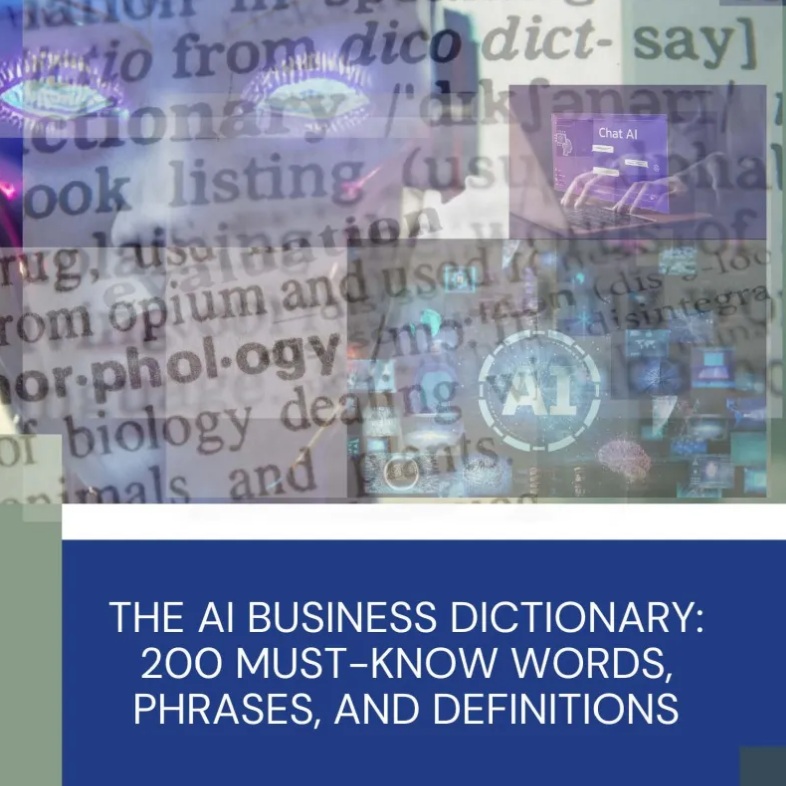
The need for accessible, business-focused AI education has become increasingly apparent. That’s why we created “The AI Business Dictionary: The 200 Must-Know Words, Phrases, and Definitions,” a comprehensive guide designed to demystify the jargon and empower business leaders to confidently navigate the AI landscape.

Why is AI Terminology So Important?

The importance of understanding AI terminology stems from several key factors:

  • Strategic Decision-Making: As mentioned earlier, comprehending AI terminology empowers you to make informed decisions about technology investments, strategic partnerships, and the overall direction of your company. Knowing the difference between supervised and unsupervised learning, for example, can significantly impact your choice of algorithms for a specific business problem.
  • Effective Communication: Clear communication is vital for successful collaboration within teams and with external partners. Shared understanding of AI concepts minimizes misinterpretations and ensures everyone is on the same page when discussing AI projects and initiatives. Imagine trying to explain the benefits of “Generative AI” to your marketing team without a shared understanding of what it is and its capabilities.
  • Identifying Opportunities: Familiarity with AI terminology can help you identify potential applications for AI within your business. Recognizing the potential of “computer vision” in automating quality control processes, or “predictive analytics” in optimizing supply chain management, requires a foundational understanding of these concepts.
  • Mitigating Risks: Understanding the language of AI allows you to better assess and mitigate potential risks associated with its implementation. Concepts like “algorithmic bias” and “explainable AI (XAI)” are crucial for ensuring fairness, transparency, and accountability in AI-powered systems.
  • Future-Proofing Your Career: AI is rapidly changing the job market, and professionals with AI knowledge are in high demand. Familiarity with AI terminology provides a competitive edge and positions you for success in an increasingly AI-driven world. This includes the ability to understand and interpret research being done in the field. A report by McKinsey estimates that AI could contribute $13 trillion to the global economy by 2030. Understanding the language used to develop and implement these changes will be invaluable.

A Glimpse Inside The AI Business Dictionary

“The AI Business Dictionary” goes beyond simple definitions. It provides context, examples, and practical applications to ensure that each term is clearly understood and can be readily applied to real-world business scenarios. The dictionary focuses on the 200 most relevant and frequently used terms that every business professional should know. Here’s a sneak peek at some of the key areas covered:

  • Foundational Concepts: The dictionary covers the fundamental building blocks of AI, including:
    • Artificial Intelligence (AI): The overarching concept of creating intelligent systems that can perform tasks that typically require human intelligence.
    • Machine Learning (ML): A subset of AI that allows systems to learn from data without explicit programming.
    • Deep Learning (DL): A subfield of ML that uses artificial neural networks with multiple layers to analyze data.
  • Key AI Techniques and Algorithms: The dictionary provides clear explanations of commonly used AI techniques and algorithms, such as:
    • Natural Language Processing (NLP): The ability of computers to understand, interpret, and generate human language.
    • Computer Vision: The ability of computers to “see” and interpret images and videos.
    • Regression: A statistical method used to predict a continuous outcome variable based on one or more predictor variables.
    • Classification: A machine learning technique used to categorize data into predefined classes.
  • Business Applications of AI: The dictionary highlights how AI is being used in various industries and functional areas, including:
    • Customer Relationship Management (CRM): AI-powered CRM systems can personalize customer interactions, automate customer service, and predict customer churn.
    • Supply Chain Management (SCM): AI can optimize supply chain operations, predict demand, and manage inventory levels.
    • Marketing: AI can personalize marketing campaigns, target specific audiences, and measure marketing effectiveness.
    • Finance: AI can detect fraud, assess risk, and automate financial processes.
  • Ethical and Societal Considerations: The dictionary addresses the ethical and societal implications of AI, including:
    • Algorithmic Bias: The presence of systematic and unfair errors in AI algorithms.
    • Explainable AI (XAI): Techniques that make AI decision-making more transparent and understandable.
    • Data Privacy: Protecting sensitive data used in AI systems.
  • Essential Metrics and Evaluation: The dictionary explains the key performance indicators (KPIs) used to evaluate AI systems, such as:
    • Accuracy: The proportion of correct predictions made by an AI model.
    • Precision: The proportion of positive identifications that were actually correct.
    • Recall: The proportion of actual positives that were correctly identified.

Beyond Definitions: Practical Applications and Examples

“The AI Business Dictionary” goes beyond simply defining terms. It provides practical examples of how these concepts are applied in real-world business scenarios. For instance, the entry on “Recommendation Engines” explains how these systems work, cites examples like Netflix and Amazon, and then offers advice on how businesses can develop their own recommendation engines to improve customer engagement and drive sales. Similarly, the entry on “Chatbots” discusses the different types of chatbots, highlights their benefits in customer service and sales, and provides guidance on how to design and implement effective chatbot solutions.

Who Should Use This Dictionary?

“The AI Business Dictionary” is designed for any business professional who wants to gain a better understanding of AI. This includes:

  • Executives and Managers: To make informed decisions about AI investments and strategy.
  • Project Managers: To effectively manage AI projects and communicate with technical teams.
  • Marketing Professionals: To leverage AI for personalized marketing and customer engagement.
  • Sales Professionals: To use AI-powered tools to identify leads and close deals.
  • Finance Professionals: To detect fraud and manage risk with AI.
  • Anyone curious about AI and its impact on business.

Invest in Your AI Literacy Today

In a world increasingly shaped by artificial intelligence, understanding the language of AI is no longer a luxury, but a necessity. “The AI Business Dictionary: The 200 Must-Know Words, Phrases, and Definitions” provides the essential foundation you need to confidently navigate the AI landscape and unlock its transformative potential for your business. Don’t let jargon hold you back. Invest in your AI literacy today and empower yourself to lead your organization toward a future powered by intelligent solutions. You can find the dictionary at https://store.mymobilelyfe.com/product-details/product/ai-business-dictionary. Start your AI journey today!