Posts Tagged
‘Marketing’

Home / Marketing

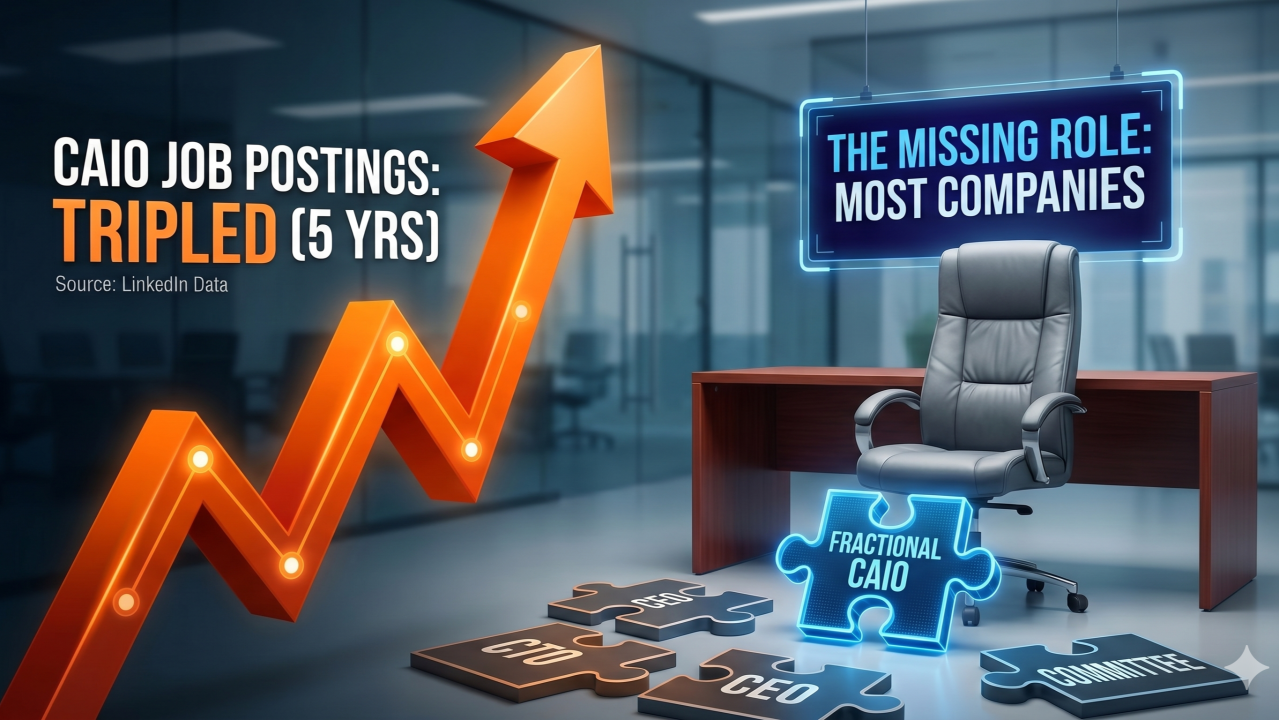
LinkedIn just reported that Chief AI Officer job postings have tripled over the last five years.

It’s now officially one of technology’s fastest-growing executive roles.

But here’s what the headline misses:

Most companies still don’t have one.

Not because they don’t need AI leadership. Because the role, as typically defined, assumes a full-time executive with a dedicated budget and organizational authority.

Most mid-market companies — the ones actually struggling with AI adoption — can’t afford that.

So what happens?

AI ownership defaults to the CEO. Or the CTO. Or a committee.

And when something belongs to everyone, it belongs to no one.

This is exactly where the fractional model changes the game.

A Fractional CAIO isn’t a consultant who advises on AI.

It’s an installed leadership function that governs AI decisions, establishes cadence, and creates accountability — on a retainer, not a project.

The demand signal is clear.

The hiring data says companies want AI leadership.

The market reality says most can’t hire it full-time.

The opportunity for AI professionals who can install governance — not just deliver advice — has never been larger.

But it requires a structural shift.

From: “I help companies with AI.”

To: “I install the decision architecture that makes AI work.”

Those are different identities. Different revenue models. Different outcomes.

Do you see the fractional CAIO model gaining traction in your network? Or is it still mostly consultant-as-title?

The digital evolution isn’t waiting for anyone.

For businesses today, the question is no longer if they should use AI: it’s who is orchestrating it. And more importantly, how.


A Personal Journey That Became a Platform

In mid-2024, I started exploring AI with one simple goal: find additional services I could offer through our digital marketing agency, MyMobileLyfe.

I wasn’t coming in as a technologist. I was a business strategist trying to figure out where AI fit into our clients’ worlds. And honestly? I didn’t know much.

I had never heard the title Chief AI Officer. I certainly didn’t understand what the role actually demanded — the governance responsibilities, the ethical frameworks, the strategic depth required to move a company from “we’re experimenting with AI” to measurable, scalable results.

But I started digging.

The deeper I went — including studying the work coming out of organizations like ChiefAIOfficer — the clearer it became: businesses desperately need structured AI leadership, and most of them don’t know where to find it.

That realization didn’t just lead me to write a book. It became the entire foundation for One-Click AI.ai — a platform built specifically for aspiring AI consultants and CAIOs who want to deliver real strategic value to their clients.


Announcing the Second Edition

I’m thrilled to announce the release of the second edition of The Invisible Chief AI Officer: Leading in the Age of Autonomy.

This isn’t a book about AI tools. It’s a field guide for the people responsible for making AI work inside real organizations — business leaders, fractional partners, and especially non-technical certified AI consultants who are navigating clients through one of the most complex transitions in business history.

The second edition goes deeper on the core responsibilities this emerging role demands:

  • Strategic Mandates — Building a long-term AI vision that aligns with a company’s actual mission, not just its budget
  • The Silicon Workforce — Managing hybrid teams where humans and autonomous agentic systems work side by side
  • Governance & Ethics — Conducting bias audits, protecting data privacy, and building transparency into every deployment
  • Operational Models — Helping clients choose between Full-Time, Fractional, or On-Demand CAIO structures based on their specific needs and readiness

Why This Is Your Moment as an AI Consultant

Here’s what I want every non-technical certified AI consultant to understand: your value isn’t in knowing how to build models. It’s in knowing how to lead through them.

Your clients aren’t failing because they don’t have enough AI tools. They’re failing because they don’t have a coherent strategy. They’re stuck in pilot purgatory, burning budget on disconnected solutions that never add up to competitive advantage.

That’s the gap you fill.

You don’t need a hundred-million-dollar R&D budget to compete with industry giants anymore. Through models like the On-Demand CAIO, even small businesses can access the kind of strategic intelligence that was once reserved for the Fortune 500.

Whether you’re serving as a fractional partner or leveraging a platform like OneClickAI.ai to scale your practice, you are the architect of your clients’ AI future.


The Invisible Leader Is the Most Powerful One

We are operating in an era where work is increasingly autonomous — and the leaders who matter most aren’t the loudest ones in the room. They’re the ones quietly building the infrastructure, the governance, and the strategy that makes everything else possible.

That’s who this book is for.

I invite you to pick up the second edition of The Invisible Chief AI Officer and join me in bridging the gap between AI potential and profitable, sustainable business outcomes. I’ve dropped a link in the comments and you can download a Free digital copy.

The future belongs to those who act with intention.

Let’s get started.

Your inbox is a battlefield: last-minute creative requests, a designer swamped with revisions, and a campaign launch clock that never waits. Every hour you lose to manual creative production is ad spend flowing into the void—banners that mute your message, headlines that fall flat, videos that never get seen. That visceral grind is what drives teams to hand over creative volume to generative AI and simple automation. But the real gain isn’t just speed: it’s the ability to systematically generate, test, and refine dozens — even hundreds — of creative variants without blowing the budget.

Below is a practical, tool-agnostic playbook that walks you from objectives to iteration, with governance guardrails and a compact week-long workflow your small team can implement.

  1. Start with an objective and unambiguous KPIs
    Before prompting an AI, decide what “better” looks like. Is the goal to improve click-through rate for prospecting, lower cost-per-acquisition for retargeting, or increase conversions on a single landing page? Choose one primary KPI and two secondary metrics (for example: primary = conversion rate; secondary = ad CTR and time on page). Keep the decision simple — this prevents creative sprawl and makes A/B tests actionable.
  2. Assemble your AI toolbox (copy, visuals, and orchestration)
    You don’t need every shiny tool — combine one strong LLM for copy, one visual generator for images, and a low-code automation layer to stitch everything together.
  • Copy: Use an LLM tuned with your brand voice (prompt templates for headlines, body, CTAs).
  • Visuals: Use an image/video generator that supports style and aspect ratio outputs you need.
  • Orchestration: Choose a low-code platform (Zapier, Make, or open-source n8n) that can manage creators’ inputs and push variants to ad platforms or CMS.

Focus on interoperability: your tools should export metadata (prompt, model version, style tokens) so later you can trace what worked.

  1. Build a prompt library and templates for brand control
    Creative chaos happens when everyone prompts differently. Standardize:
  • Heads: three headline lengths (short, medium, long).
  • Body: one benefit-led variant, one social-proof variant, one urgency-driven variant.
  • Visuals: color palettes, compositional rules, and a few approved stylistic anchors (e.g., “close-up product shot, warm lighting, minimal text overlay”).
    Store these templates in a simple sheet or a shared prompt repository. Require the AI to inject brand-approved phrases and legal disclaimers where needed. This keeps automated creativity from drifting into off-brand territory.
  1. Low-code workflows to spin up variants
    Design a workflow that accepts a campaign brief (objective, audience, tone) and outputs a batch of creative bundles (copy + image/video + landing variant). Steps:
  • Input: Campaign brief + audience segment.
  • Generate: LLM produces 5-10 copy variants using the templates.
  • Visuals: Visual generator produces matching imagery/video for each copy style, using consistent style tokens.
  • Bundle: Automation pairs copy and visuals into asset bundles and names them with metadata tags (audience, headline type, visual style).
  • Export: Push bundles to a staging folder, ad manager, or approval queue.

This is the mechanics of scale. Instead of one designer producing one banner, your pipeline spins up dozens of hypotheses overnight.

  1. Automate A/B deployment and data collection
    Use your ad platform’s API with your orchestration tool to create controlled A/B tests. Define allocation rules (equal split across variants for initial exploration) and attach the tracking pixel + UTM parameters that map returns to the asset metadata created earlier. Automate the collection of engagement metrics into a single dataset — impressions, clicks, conversions, and landing behavior — tagged to each creative variant.
  2. Use AI-powered analysis to recommend next iterations
    Once enough data accumulates, feed the results back into an analysis pipeline. An LLM or a simple analytics model can:
  • Identify top-performing creative patterns (e.g., “short headlines + lifestyle imagery outperform benefit-heavy headlines”).
  • Flag underperformers and suggest concrete changes (swap CTA, increase image contrast, shorten copy).
  • Cluster variants to reveal unexplored combinations worth testing.

This is where the loop closes: the system not only spins up hypotheses but reads the results and proposes the next round of creatives.

  1. Governance — keep brand, legal, and quality in check
    Automation can race ahead of control. Implement these guardrails:
  • Brand guardrail file (voice, dos & don’ts) that is injected into every prompt.
  • Human approval gates for any live creative that contains product claims or regulated content.
  • Versioning and provenance (save prompts, model versions, timestamps) for auditability.
  • Automated content filters to catch sensitive topics or personal data leaks.
  • Access control so only approved users can push assets live.
  1. Expected time and cost savings (realistic framing)
    You shouldn’t expect magic, but you should expect meaningful efficiency. Many teams move from weeks-long creative back-and-forth to a cycle measured in days. Budget that used to buy one visual can now buy many variants and tests — which often leads to better allocation of ad spend because you’re testing more intelligently rather than just throwing money at a single “perfect” creative.
  2. Compact week-long example workflow (tool-agnostic)
    Day 1 — Objectives & templates: Set primary KPI, create prompt templates and a brand guardrail file.
    Day 2 — Prompt tuning: Create headline/copy families and visual style tokens; test a few prompts to refine quality.
    Day 3 — Batch generation: Produce 20 copy variants and 20 visuals; pair into 15 bundles.
    Day 4 — Workflow setup: Build or configure the low-code pipeline to tag, package, and push bundles to an ad manager or staging area.
    Day 5 — Deployment: Launch controlled A/B tests, ensure tracking and metadata are intact.
    Day 6 — Collect & analyze: Aggregate results into a single dataset and run an AI analysis.
    Day 7 — Iterate: Apply AI recommendations, human-review top candidates, and launch the next test wave.
  3. Final practical notes
  • Start small: pilot one campaign, one audience segment, and one channel. You’ll learn the failure modes without risking major budget.
  • Keep humans in the loop: automation speeds things up — human judgment keeps quality and compliance intact.
  • Track experiments like code: document what you changed and why so learnings compound.

If you want to accelerate this process without building everything from scratch, partner with specialists who understand both marketing and machine workflows. MyMobileLyfe can help businesses use AI, automation, and data to improve their productivity and save them money. Visit https://www.mymobilelyfe.com/artificial-intelligence-ai-services/ to explore how to set up scalable creative pipelines, governance frameworks, and analysis systems that turn creative chaos into repeatable results.

You know the feeling: a three-hour webinar that took blood, sweat, and caffeine to produce sits in a folder labeled “repurpose when we have time.” Your content calendar has holes, the social queue is stale, and every new campaign starts from scratch because nobody has the time to squeeze more life from the long-form work you already did. That reluctance to “do more with what we have” is a gnawing inefficiency — but it’s solvable without hiring a whole new team.

This article walks through a practical, low-code blueprint that uses generative AI and automation tools to extract ideas, spin multi-channel assets, and push them to publishing and analytics platforms. The goal: one long-form asset → dozens of ready-to-publish pieces, all governed for brand voice and tracked for impact.

Why repurposing matters (the problem, felt)

  • Every long-form asset contains layered value: thesis, examples, quotable lines, images, and timestamps. Left unused, that value is wasted budget.
  • Small teams juggle priorities; repurposing is deprioritized because manual fragmentation is tedious and error-prone.
  • The human cost is lost reach: fewer touchpoints, slower audience growth, and recurring scramble to create “fresh” content.

What a solution looks like

A low-code workflow that:

  1. Ingests your long-form asset (audio, video, PDF, or blog post).
  2. Extracts key ideas, quotes, and visuals.
  3. Generates channel-specific variants: social captions, short-form video scripts, email snippets, image alt text, and localized versions.
  4. Pushes content to scheduling, CMS, and analytics.
  5. Applies governance checks for brand voice and legal/claims review.
  6. Measures time saved and engagement lift.

Tooling recommendations (pick best-fit)

  • Transcription & timestamps: Descript, Otter.ai, or Rev.
  • Summarization / generation: OpenAI (GPT family), Anthropic Claude, or Cohere for API-based LLMs.
  • Tone adaptation & templates: Jasper or a custom prompt on GPT.
  • Video/audio editing and short-form clip creation: Descript, Pictory, or CapCut with automation hooks.
  • Image captioning/alt text: Google Cloud Vision or Microsoft Computer Vision for auto-caption suggestions.
  • Translation/localization: DeepL or Google Translate (then human review for nuance).
  • Workflow automation: Zapier, Make (Integromat), or n8n to chain actions and branch logic.
  • Publishing & scheduling: Buffer, Hootsuite, WordPress API, LinkedIn/Twitter/X, Mailchimp/SendGrid for email.
  • Analytics: Google Analytics, native social analytics, and UTM-tagged links stored in a tracking dashboard.

End-to-end example workflow (Zapier/Make style)

Trigger: New long-form asset published in your CMS, or a new webinar recording uploaded to cloud storage.
Step 1 — Ingest & Transcribe:

  • Action: If video/audio, send file to Descript/Otter.ai; save transcript + timestamps.
  • Conditional: If textual (PDF/blog), skip transcription and POST content to summarization step.

Step 2 — Summarize & Extract:

  • Action: Call LLM summarization endpoint (OpenAI / Claude) with prompt to extract headline, three pillar takeaways, five quotable lines, and suggested clip timestamps.
  • Output: JSON with sections: headline, takeaways[], quotes[], clips[].

Step 3 — Generate Variants (parallel branches):

  • Social captions branch: Use prompt template (below) to generate 6 caption variations (LinkedIn long form, LinkedIn short, X/Twitter, Instagram, LinkedIn carousel bullets, and a CTA-tagged option).
  • Video scripts branch: Create 3 short-form scripts (15s, 30s, 60s) using timestamps and quotes.
  • Email snippets branch: Generate subject lines + two email preview texts (short and long).
  • Image alt text branch: Send screenshots to Vision API to generate alt text; refine with LLM.

Step 4 — Governance & Brand Voice Check:

  • Action: Run a classifier or prompt that compares output against brand voice guidelines (sample voice file stored in a repo).
  • Branching rule: If similarity score below threshold OR sensitive claim detected, send to human review Slack channel; otherwise auto-queue for publishing.

Step 5 — Publish & Tag:

  • Auto-post to scheduling tools or create draft posts in CMS with UTM parameters.
  • Save metadata, content variants, and timestamps to a Google Sheet or Airtable for traceability.

Step 6 — Track & Report:

  • Create UTM-tagged links and monitor metrics. After a set window (e.g., 14 days), pull analytics and compare to baseline.

Branching rules (simple examples)

  • If transcript length > X words, auto-generate 10+ captions; else generate 4.
  • If content contains product claims or prices, require legal review.
  • If generated tone is too informal/formal based on classifier, route to editor queue.

Concrete prompt templates

Use these as starting points with your brand context appended.

  1. Summarize & extract pillars:
    “Summarize the following transcript into: one headline (8–12 words), three pillar takeaways (one sentence each), five short shareable quotes (max 20 words), and three recommended clip timestamps with suggested 15s hooks. Keep language professional but approachable. Preserve factual accuracy and flag any product claims that need review.”
  2. Social caption variants:
    “Create six social captions from this headline + three takeaways. Captions: 1) LinkedIn long (100–200 words, professional), 2) LinkedIn short (40–60 words), 3) X/Twitter (≤280 chars with 1 hashtag), 4) Instagram (two-sentence + emoji + CTA), 5) Carousel bullets (5 slides), 6) CTA-focused (encourage signup). Use brand voice: [insert 3 descriptors].”
  3. Short-form video scripts:
    “Using quote X and clip timestamps Y, write 3 scripts: 15s hook (attention → single idea → CTA), 30s explainer (problem → insight → CTA), 60s mini-teach (setup → example → CTA). Include on-screen caption suggestions.”
  4. Image alt text refinement:
    “Given this auto-caption, rewrite as concise alt text (≤125 characters) that describes the image for accessibility while including context about the content.”

Governance tips to keep brand voice consistent

  • Store a short brand voice doc (3–5 descriptors, banned words, legal guardrails) as a single source of truth accessible to automation.
  • Build a small classifier using few-shot prompts that scores generated text for voice match; set thresholds that trigger human review.
  • Keep a “trusted phrases” list (product names, approved taglines) and a forbidden-claims list (pricing/promises that require legal sign-off).
  • Maintain a short human-in-the-loop schedule: auto-approve low-risk content, route medium/high-risk content to a 24–48 hour editor queue.

Measuring impact (what to track)

  • Baseline: record average number of publishable pieces per long-form asset before automation.
  • Output volume: number of assets produced per original after automation.
  • Time saved: track average staff hours spent per repurpose task before vs after (use time-tracking or estimate).
  • Engagement lift: compare impressions, CTR, shares, and conversion rates of repurposed assets vs previously published benchmarks (use UTM-tagged A/B tests where possible).
  • Cost avoided: multiply hours saved by hourly cost (or estimate FTE fraction saved) to show financial impact.

Final note and next step

If your team is tired of letting valuable content sit unused, this workflow is designed to scale your reach without adding headcount. You can start with a single automation for caption and social generation, then expand to video clips, email sequences, and localization as trust grows.

MyMobileLyfe can help businesses design and implement these AI, automation, and data-driven repurposing workflows so your team gets more mileage from every asset while saving time and money. Learn more about their services at https://www.mymobilelyfe.com/artificial-intelligence-ai-services/.

You know the feeling: the campaign launches, metrics trickle in, and a dozen hypotheses pile up in a Slack channel. Creative asks for direction but the data team is buried in CSVs, manual significance checks, and ad-platform exports. Weeks pass. Momentum stalls. The ideas that once felt urgent turn into stale drafts. That bottleneck — not a lack of smart ideas but the slow grind of analysis and creative iteration — eats revenue and morale.

There is a different way. By combining automated experiment-analysis engines, principled causal inference, and generative creative tools, marketing teams can close the loop on experimentation in hours instead of weeks. The payoff is not just speed: it’s smarter decisions, fewer false positives, and a creative pipeline that responds in near real time to what actually moves the needle.

Why manual A/B workflows fail

  • Analysis latency: Exporting data, cleaning it, running tests, and reporting takes time. During that lag, audience behavior and ad auctions shift.
  • False confidence: Multiple manual tests across segments invite false positives unless adjustments are made for multiplicity and peeking.
  • Creative bottlenecks: Even when a winner emerges, producing on-brand variants to validate or scale takes days to weeks.
  • Fragmented data: Analytics in one place, ads in another, creative assets elsewhere; stitching these together is error-prone.

How AI changes the experiment loop

Imagine a pipeline that ingests metrics from your analytics and ad platforms, continuously evaluates recent experiments using Bayesian and causal methods, flags segment-specific winners, proposes the next hypothesis, and generates a bag of on-brand creative variants for rapid validation. That pipeline has four core capabilities:

  1. Continuous, automated analysis that reports posterior probabilities of lift rather than fragile p-values.
  2. Causal-aware models that estimate treatment effects across segments and control for confounders.
  3. Decision-support that suggests next tests and optimal allocation of impressions.
  4. Generative creative that produces copy and asset variations constrained by brand guardrails.

Practical implementation: a step-by-step playbook

  1. Audit your experiment pipeline
    • Map every touchpoint: analytics events, ad-platform conversions, creative sources, and export schedules.
    • Identify single sources of truth for primary KPIs (e.g., purchases, leads, LTV events) and where instrumented events may be biased or missing.
    • Catalog current stoppage rules and data latency so you can design appropriate guardrails.
  2. Connect analytics and ad platforms
    • Set up reliable ingestion: use APIs or a warehouse connector (e.g., streaming or daily batch) so experiment data flows into a single dataset for analysis.
    • Include user identifiers where possible (hashed) to enable user-level analysis and avoid aggregation artifacts.
    • Incorporate cost and impression data from ad platforms to compute incremental CPA and ROI, not just conversion rates.
  3. Choose statistical and ML approaches that avoid false positives
    • Prefer Bayesian approaches for continuous monitoring. Posterior probabilities and credible intervals let teams make probabilistic decisions without harmful “peeking.”
    • Use hierarchical models to borrow strength across similar segments and avoid overfitting to small-sample subgroups.
    • Apply causal methods (e.g., propensity adjustment, doubly robust estimators, or causal forests) when experiments aren’t fully randomized or when you want robust segment-level inference.
    • Predefine minimum detectable effects (MDEs) and stopping rules. If you must run frequent interim looks, use alpha spending or Bayesian decision thresholds rather than repeatedly applying standard p-value thresholds.
  4. Integrate generative models for creative variants
    • Create constrained prompts that encode brand voice, legal copy limits, and offer rules. Keep prompts versioned and auditable.
    • Generate a diverse set of headlines, body copy, and creative compositions. For image or video variants, use templates that swap in generated text or imagery while preserving layout and brand assets.
    • Tag generated creatives automatically with metadata describing the variation hypothesis (e.g., “benefit-led headline, discount emphasized, blue CTA”).
    • Route promising variants into the experiment queue automatically, with the system recommending allocation based on expected information gain.
  5. Pilot on a low-risk campaign
    • Choose a campaign with modest spend and clear, measurable KPIs. This reduces exposure while validating the pipeline.
    • Run the experiment with pre-registered hypotheses, MDEs, and the Bayesian monitoring rules you’ve defined.
    • Use automated dashboards to track posterior lift, segment effects, and creative performance in near real time.
  6. Measure ROI and scale
    • Evaluate ROI not just on conversion lift but on time-to-decision and creative throughput. How much faster are you validating ideas? How many variants can you produce and test per week?
    • Roll successful workflows into higher-stakes campaigns gradually, maintaining measurement rigor.

Governance: keep speed from becoming recklessness

  • Explainability: Use interpretable models where possible. When using black-box models, add explanation layers (e.g., SHAP, feature importances) and keep model decisions auditable so marketers can understand “why” a segment responded.
  • Sample-size guardrails: Automatically compute and enforce MDE-based minimum samples for segments before surfacing a winner. Consider hierarchical thresholds so small but real effects aren’t drowned out or overclaimed.
  • Pre-registration and stopping rules: Require test registration with defined goals and stopping criteria. Automate enforcement to prevent p-hacking and ad-hoc multiple testing.
  • Avoid overfitting: Use holdout sets for final validation, cross-validation where appropriate, and regularization techniques for model training. When generating creatives, avoid optimizing only for short-term clicks; include longer-term conversion signals in your evaluation.
  • Human-in-the-loop: Keep marketers and creatives in the loop. Use AI to suggest and automate, not to blindly deploy. Final creative decisions should pass a brand and legal check.

Common pitfalls and how to avoid them

  • Mistaking engagement for business impact: Always tie experiments to a primary business KPI, not just CTR.
  • Over-automating traffic allocation: Use conservative exploration strategies (e.g., Thompson sampling with floor allocation) so you don’t prematurely starve alternatives that could reveal durable wins.
  • Ignoring ad platform biases: Attribution windows and reporting delays vary by platform—account for them in your models.

What quick wins look like

  • Shorter feedback cycles: Automated analysis often cuts the decision time from days to hours.
  • More rigorous conclusions: Bayesian and causal approaches reduce false positives and surface reliable segment effects.
  • Faster creative iteration: Automated generation and variant seeding let creative teams validate multiple angles without waiting weeks for production.

If your marketing team is sitting on a backlog of half-baked tests and creatives that never get validated, this is the moment to rebuild the loop. AI won’t replace strategy, but it will replace the busywork that prevents strategy from getting tested.

MyMobileLyfe can help businesses design and build this kind of AI-driven experimentation pipeline — connecting analytics and ad platforms, implementing principled statistical and causal methods, integrating generative creative tooling, and establishing governance for explainability and sample-size guardrails. If you want to increase test throughput, reduce false positives, and speed creative iteration while saving time and money, MyMobileLyfe can help you put these ideas into production.

You know the feeling: a launch is two days away, the creative team is buried in revisions, the landing page still looks like three disparate drafts stitched together, and the campaign budget is burning while impressions sit cold. That stress—rushed assets, inconsistent messaging, and campaigns that don’t move the needle—is what drives marketers to hand off more work to agencies, buy more ad spend, and tolerate a slow iteration cycle. Automating creative production, testing, and optimization with AI doesn’t remove human judgment—it turns that late-night grind into a measured, repeatable system that surfaces winners faster and keeps brand and compliance intact.

Below is a practical workflow you can apply now, plus tool categories, measurement fundamentals, cost-control strategies, and an integration checklist so your team can start scaling creative output without losing control.

A practical workflow: generate, deploy, measure, repeat

  1. Define brand and compliance guardrails
  • Create a living brand brief: tone of voice (short examples), logo usage, color palette, typography, and prohibited phrases or imagery.
  • Build a compliance checklist (legal disclaimers, privacy claims, industry-specific requirements) and codify it into automated checks (regex for copy, image blocklists).
  • Maintain a “kill switch” for any automated publish flow so assets can be held for human review.
  1. Prepare prompt templates and fine-tuned models
  • Create modular prompt templates for headlines, body copy, CTAs, and microcopy. Example headline prompt:
    “Write 6 concise headlines (max 8 words) for a B2B SaaS product that reduces onboarding time. Tone: confident, clear, professional. Avoid promising impossible outcomes. Include one variant that uses a question.”
  • Fine-tune a model on your brand voice or preserve style by providing exemplar copy. For image prompts, standardize the format: subject, mood, environment, style, camera/lens. Example: “Hero image of a mid-sized team collaborating around a laptop in a modern office, warm lighting, candid moment, photo-realistic, 35mm lens feel.”
  1. Programmatically build landing-page variants
  • Use a headless CMS or modular page templates where content is JSON-driven. Each variant is a JSON object: headlineId, heroImageId, CTAText, proofs, microcopy.
  • Generate multiple combinations programmatically: headline variants x hero images x CTA styles = many landing variants without manual page builds.
  • Keep components atomic (hero, headline block, features grid) to reduce QA surface area.
  1. Wire variants into experimentation and analytics
  • Route traffic using an experimentation platform or server-side feature flagging. A/B and multivariate tests should attach a unique variant ID to each session and persist exposure in your analytics.
  • Capture conversion events and micro-conversion signals (scroll depth, video plays, clicks) to accelerate learning.
  • Log creative metadata with results so you can surface which creative attributes (tone, image style, CTA phrasing) correlate with lift.
  1. Implement automated winner-promotion and human-in-the-loop review
  • Set automated promotion rules: promote a variant if it achieves statistically meaningful lift and maintains minimum sample size AND passes compliance checks.
  • Create human review gates for edge cases and for any creative that will be scaled beyond certain spend thresholds.
  • Maintain audit trails for which model/prompt produced each asset and who approved it.

Concrete tool categories to assemble this system

  • Generative text models: API access to large language models (OpenAI, Anthropic, or fine-tuned private models).
  • Generative image models: Stable Diffusion variants, Midjourney-like services, or hosted API image generation.
  • Headless CMS / page builder: Contentful, Sanity, Prismic, Webflow (with CMS API), Shopify Plus for e-commerce.
  • Experimentation and feature flags: Optimizely, VWO, Split, LaunchDarkly (or custom server-side flags).
  • Analytics/attribution: Segment, Snowplow, GA4 + BigQuery/Redshift for raw event storage.
  • Orchestration & automation: Zapier, Make, or custom pipelines (Lambda, Cloud Functions) for asset routing and approvals.
  • MLOps / model hosting: Hugging Face, cloud provider model endpoints, or vendor APIs.

Measurement metrics that matter

  • Lift: relative increase in conversion rate for a variant vs. baseline. Use conversion rates and secondary metrics together (e.g., lead quality).
  • Sample size & statistical thresholds: ensure you reach a minimum sample per variant before promoting; build power calculations into promotion rules or use sequential testing approaches to minimize wasted impressions.
  • Velocity: tests per week or month—track how many distinct creative experiments your system can produce and analyze; faster velocity yields faster learning.
  • Cost per insight: total spend divided by number of significant learnings. If a variant costs too much to test relative to its potential impact, prioritize alternatives.

Cost-control tips

  • Reuse components: swap headlines and images within the same template instead of creating full bespoke pages each time.
  • Stagger experiments by budget tier: test risky, broad ideas with small budgets; reserve higher spend for variants that pass initial gates.
  • Limit image generation costs: generate lower-resolution proofs for testing, promote to final render only for winners.
  • Throttle model usage during peak API costs by batching requests and caching generated variants that pass quality checks.

Quality control and governance checklist

  • Data layer: ensure consistent event naming, variant IDs, and attribution mapping before launching experiments.
  • Prompt/version control: treat prompts as code—version them, track changes, and tag assets with the prompt used.
  • Access & approvals: role-based approvals for model outputs and production publishing.
  • Compliance automation: run copy through regex/blacklist checks and automated legal review rules; flag anything that fails for human review.
  • Rollback plan: be able to stop a campaign and route traffic to a safe default at any moment.

Human + machine: the right balance

Machines scale ideation and variant generation; humans provide strategic judgment and brand intuition. Use AI to populate the funnel of ideas, then prioritize and escalate the most promising variants to manual review. That combination reduces time-to-insight and protects brand equity.

Getting started — a minimalist sprint

  • Week 1: Define guardrails and assemble prompt templates.
  • Week 2: Integrate one generative model for headlines and one for hero images; create 10-20 variants.
  • Week 3: Spin up two modular landing templates and route a small percentage of traffic through an A/B test.
  • Week 4: Measure, promote winners, and refine prompts/model fine-tuning.

When done right, automated creative workflows stop the late-night firefights and replace them with predictable cycles of ideation, measurement, and improvement. You keep control of brand and compliance while multiplying the creative experiments your team can run.

If you want hands-on help building this system—aligning models and prompts to your brand voice, wiring experiment platforms to your analytics, or creating governance and automation rules—MyMobileLyfe can help businesses use AI, automation, and data to improve their productivity and save money: https://www.mymobilelyfe.com/artificial-intelligence-ai-services/.

For small business owners, who often juggle multiple roles and operate with limited resources, artificial intelligence tools can be a game-changer. They automate tedious tasks, provide insightful data analysis, and ultimately, free up valuable time to focus on strategic growth. This guide highlights ten essential AI tools that can significantly boost your small business across marketing, customer service, finance, and operations.

1. HubSpot AI Tools for Marketing Automation:

HubSpot is a comprehensive marketing platform that’s increasingly leveraging AI to enhance its capabilities. Beyond its CRM functionality, HubSpot’s AI-powered tools offer predictive lead scoring, personalized email subject line recommendations, and content optimization insights. The AI Assistant feature allows you to generate blog post ideas, craft compelling marketing copy, and even create social media posts with just a few prompts. For small businesses, HubSpot’s AI cuts down on the time spent on content creation and ensures marketing efforts are strategically targeted to the right audience. Its real-time data analysis helps track campaign performance and adjust strategies accordingly, maximizing ROI.

Benefit: Automates marketing tasks, personalizes customer interactions, and optimizes marketing campaigns for better results.

2. Jasper.ai for Content Creation:

Content is king, but crafting compelling and engaging content can be a time-consuming process. Jasper.ai, a powerful AI writing assistant, steps in to alleviate this burden. Using natural language processing, Jasper can generate blog posts, website copy, social media updates, email sequences, and even product descriptions. Simply input a topic, keywords, and desired tone, and Jasper will generate high-quality, original content tailored to your needs. This tool not only saves time but also helps overcome writer’s block and ensures consistent brand messaging across all platforms.

Benefit: Generates high-quality, original content quickly and efficiently, saving time and resources.

3. Zendesk for AI-Powered Customer Support:

Customer service is paramount for small business success. Zendesk uses AI to enhance the customer support experience. Its Answer Bot leverages machine learning to understand customer inquiries and provide relevant answers from your knowledge base. This reduces response times and empowers customers to find solutions independently. Zendesk’s AI also analyzes customer sentiment to identify urgent issues and prioritize support requests. Furthermore, it can predict customer needs and proactively offer assistance, leading to increased customer satisfaction and loyalty.

Benefit: Automates customer support, improves response times, and enhances customer satisfaction through personalized assistance.

4. Ada for Conversational AI and Chatbots:

Ada is a leading platform for building AI-powered chatbots that provide instant customer support and automate routine tasks. These chatbots can answer frequently asked questions, guide customers through troubleshooting processes, and even process orders. Ada’s no-code platform makes it accessible for small businesses without requiring technical expertise. By automating these interactions, Ada frees up your human agents to focus on more complex issues and provides 24/7 customer support, regardless of your team’s availability.

Benefit: Provides 24/7 customer support, automates routine tasks, and reduces the workload on human agents.

5. Xero for AI-Driven Accounting and Financial Management:

Managing finances is a crucial aspect of running a small business. Xero is a cloud-based accounting software that incorporates AI to streamline financial processes. It automatically categorizes bank transactions, reconciles accounts, and generates financial reports. Xero’s AI also identifies potential errors and inconsistencies, ensuring accurate financial data. Furthermore, it provides insightful dashboards and visualizations that help you track key performance indicators (KPIs) and make informed financial decisions.

Benefit: Automates accounting tasks, provides accurate financial data, and offers insightful financial reporting and analysis.

6. Pilot for AI-Enhanced Bookkeeping and Financial Insights:

For small businesses seeking a more comprehensive financial solution, Pilot offers AI-powered bookkeeping and financial insights. They combine the expertise of human bookkeepers with the efficiency of AI to manage your finances accurately and efficiently. Pilot automates tasks such as reconciling transactions, generating financial statements, and managing payroll. Their AI algorithms also analyze your financial data to identify trends, predict future performance, and provide actionable insights to improve your profitability.

Benefit: Provides accurate and efficient bookkeeping services, identifies financial trends, and offers actionable insights to improve profitability.

7. monday.com for AI-Powered Project Management:

Effective project management is essential for small businesses to stay organized and meet deadlines. monday.com is a versatile project management platform that’s incorporating AI to enhance collaboration and productivity. Its AI features can automate tasks, assign resources, and track project progress. monday.com’s AI also analyzes project data to identify potential bottlenecks and predict project completion times. This allows you to proactively address challenges and ensure projects are completed on time and within budget.

Benefit: Automates project management tasks, improves collaboration, and ensures projects are completed on time and within budget.

8. Grammarly Business for AI-Powered Writing Assistance:

Clear and professional communication is crucial for building credibility and conveying your message effectively. Grammarly Business utilizes AI to provide real-time writing assistance. It checks your grammar, spelling, punctuation, and style, ensuring your written content is error-free and impactful. Grammarly also offers suggestions for improving clarity, conciseness, and overall tone. This tool is particularly beneficial for small business owners who write emails, reports, marketing materials, and other important documents.

Benefit: Improves writing quality, ensures error-free communication, and enhances the overall impact of written content.

9. Otter.ai for AI-Powered Transcription and Meeting Notes:

Taking accurate meeting notes and transcribing audio recordings can be a time-consuming and tedious process. Otter.ai uses AI to automatically transcribe audio and video recordings. It can accurately convert speech to text in real-time, allowing you to focus on the conversation rather than frantically taking notes. Otter.ai also highlights key points and identifies speakers, making it easy to review and share meeting summaries.

Benefit: Automates transcription, improves meeting note-taking, and facilitates efficient communication.

10. Google Analytics 4 (GA4) for Predictive Analytics:

Understanding website traffic and user behavior is essential for optimizing your online presence and marketing efforts. Google Analytics 4 (GA4) uses AI and machine learning to provide predictive analytics and insights. It can predict customer behavior, identify high-value users, and personalize the user experience. GA4 also offers enhanced privacy features and cross-platform tracking, providing a comprehensive view of your online performance.

Benefit: Provides predictive analytics, identifies high-value users, and helps personalize the user experience.

Investing in these AI tools can significantly improve your small business’s efficiency, productivity, and profitability. These tools not only streamline operations but also empower you to make data-driven decisions, ultimately driving growth and success. To further your understanding of the language driving this technological revolution, and to better navigate the world of AI, get your copy of The AI Business Dictionary: 200 Must-Know Words, Phrases, and Definitions at https://store.mymobilelyfe.com/product-details/product/ai-business-dictionary. Equip yourself with the knowledge you need to thrive in the age of artificial intelligence.

In today’s cutthroat business environment, small brands often find themselves David facing a Goliath of established corporations with seemingly endless marketing budgets. They struggle to gain visibility, build brand awareness, and compete for the attention of a digitally saturated audience. However, the rise of Artificial Intelligence (AI) is providing a powerful slingshot, offering small businesses the opportunity to level the playing field and effectively challenge even the largest industry titans.

Forget the outdated notion of AI as a futuristic, unattainable technology reserved for tech giants. AI is now democratized, accessible, and increasingly affordable for businesses of all sizes. The key lies in understanding how AI-powered personalization and automation can be strategically implemented to maximize marketing impact, optimize resource allocation, and ultimately, drive growth.

Personalization: Speaking Directly to Your Ideal Customer

One of the biggest advantages larger companies have historically enjoyed is their ability to gather vast amounts of customer data. This data allows them to tailor their marketing messages to specific demographics and preferences, increasing engagement and conversions. However, AI now empowers small brands to achieve similar levels of personalization, even with limited data.

AI-driven tools can analyze customer interactions across various platforms, including websites, social media, email, and customer service channels, to build detailed customer profiles. These profiles go beyond basic demographics to uncover valuable insights into individual customer needs, interests, pain points, and buying behaviors.

Imagine a small, independent bookstore using AI to personalize its email marketing. Instead of sending a generic newsletter to all subscribers, the bookstore can leverage AI to identify customers who frequently purchase historical fiction. The AI can then automatically curate a tailored email featuring new releases and upcoming events in that genre, drastically increasing the likelihood of clicks and purchases.

This level of personalization is not limited to email. AI-powered chatbots can provide personalized recommendations on websites, answering customer queries and guiding them towards relevant products or services. Social media advertising can be hyper-targeted based on individual interests, ensuring that marketing spend is focused on reaching the most receptive audience.

By leveraging AI to personalize marketing messages, small brands can forge stronger connections with their customers, building loyalty and driving repeat business. This personalized approach fosters a sense of individual attention that often gets lost in the mass marketing strategies employed by larger corporations.

Automation: Streamlining Operations and Boosting Efficiency

Beyond personalization, AI offers immense potential for automating marketing tasks, freeing up valuable time and resources for small business owners. Many routine and time-consuming processes can be handled by AI-powered tools, allowing marketers to focus on more strategic initiatives, such as creative content development, brand building, and customer relationship management.

Here are just a few examples of how AI can automate marketing processes:

  • Social Media Management: AI-powered tools can schedule social media posts, monitor brand mentions, and analyze social media performance, allowing small businesses to maintain a consistent online presence without dedicating countless hours to manual tasks.
  • Content Creation: AI writing tools can assist in generating blog posts, articles, and website copy, helping small brands create high-quality content at scale. While human oversight is crucial for ensuring accuracy and authenticity, AI can significantly accelerate the content creation process.
  • Email Marketing: AI can automate email campaigns, segmenting audiences, personalizing messages, and optimizing send times for maximum engagement. This ensures that the right message reaches the right customer at the right time.
  • Lead Generation: AI-powered chatbots can qualify leads on websites, gathering information and routing them to the appropriate sales representative. This helps small businesses prioritize their sales efforts and focus on the most promising prospects.
  • Advertising Optimization: AI algorithms can analyze advertising data in real-time, adjusting bids, targeting parameters, and ad creative to maximize ROI. This allows small businesses to optimize their advertising spend and achieve better results with limited budgets.

By automating these tasks, small brands can achieve significant cost savings and improve their overall marketing efficiency. This allows them to compete more effectively with larger companies that often have dedicated teams for each marketing function.

Data-Driven Decisions: Making Informed Choices for Optimal Results

AI’s ability to analyze vast amounts of data provides invaluable insights that can inform marketing decisions. By tracking key metrics and identifying trends, AI helps small businesses understand what’s working and what’s not, allowing them to optimize their strategies and improve their ROI.

For example, AI can analyze website traffic data to identify which pages are performing well and which ones need improvement. It can also track customer behavior on social media to understand which types of content are generating the most engagement. This information can then be used to refine website content, improve social media strategies, and create more effective marketing campaigns.

Furthermore, AI can predict future trends and identify emerging opportunities, allowing small businesses to stay ahead of the curve and gain a competitive advantage. By analyzing market data and customer behavior patterns, AI can help small brands anticipate changing customer needs and develop innovative products and services that meet those needs.

Beyond the Hype: Practical Considerations for Small Businesses

While AI offers immense potential for small brands, it’s important to approach its implementation strategically. Here are a few key considerations:

  • Start Small: Don’t try to implement AI across your entire marketing operation at once. Start with a specific area where AI can have the biggest impact, such as email marketing or social media management.
  • Choose the Right Tools: Research and select AI-powered tools that are specifically designed for small businesses and offer the features and functionality you need.
  • Focus on ROI: Before investing in any AI tool, carefully consider the potential return on investment. Make sure the tool will generate enough value to justify the cost.
  • Don’t Forget the Human Touch: AI should be used to augment human capabilities, not replace them entirely. Human oversight is essential for ensuring accuracy, authenticity, and ethical considerations.
  • Data Privacy and Security: Prioritize data privacy and security when implementing AI-powered tools. Ensure that customer data is protected and used responsibly.

By adopting a strategic and practical approach, small businesses can successfully leverage AI to enhance their marketing efforts, compete with larger companies, and achieve sustainable growth. The playing field is leveling, and AI is the key to unlocking the potential for small brands to thrive in today’s competitive market.

The world of AI is constantly evolving, and staying up-to-date on the latest terminology and trends is crucial for making informed decisions. Don’t let yourself be left behind! Purchase The AI Business Dictionary: 200 Must-Know Words, Phrases, and Definitions today at https://shop.mymobilelyfe.com/product/the-ai-business-dictionary-200-must-know-words-phrases-and-definitions/ and empower yourself with the knowledge you need to succeed in the age of AI.

In today’s rapidly evolving digital landscape, crafting a successful marketing strategy requires more than just intuition and creativity. Business owners need data-driven insights, efficient automation, and personalized customer experiences to truly stand out and drive growth. This is where Artificial Intelligence (AI) steps in, offering a powerful toolkit to revolutionize how businesses approach marketing.

For business owners who prefer to manage their own marketing operations, understanding how to leverage AI can be a game-changer. It’s no longer just for large corporations with deep pockets; accessible and user-friendly AI tools are democratizing the field, empowering smaller businesses to compete effectively. This article will provide a practical guide on how to incorporate AI into your marketing strategy, enabling you to harness its power without becoming an AI expert.

Understanding the AI Landscape in Marketing

Before diving into strategy, it’s crucial to grasp the broad categories of AI applications in marketing. Here are a few key areas to consider:

  • Data Analysis and Insights: AI excels at sifting through massive datasets to identify patterns, trends, and customer behaviors that would be impossible for humans to detect manually. This allows you to understand your target audience on a deeper level and predict future trends.
  • Personalized Customer Experiences: AI-powered personalization engines can tailor content, offers, and interactions to individual customer preferences, leading to increased engagement and conversions.
  • Marketing Automation: AI can automate repetitive tasks such as email marketing, social media posting, and lead nurturing, freeing up your time to focus on strategic initiatives.
  • Content Creation: From generating blog post ideas to crafting compelling ad copy, AI can assist in the content creation process, saving time and resources.
  • Chatbots and Customer Service: AI-powered chatbots provide instant customer support, answer frequently asked questions, and guide customers through the sales funnel, improving customer satisfaction.

Building Your AI-Powered Marketing Strategy: A Step-by-Step Guide

Now, let’s break down the process of building an AI-driven marketing strategy that you can implement yourself:

1. Define Your Goals and Objectives:

The foundation of any successful marketing strategy, AI-powered or otherwise, is a clear understanding of your business goals. What do you want to achieve? Are you aiming to increase brand awareness, generate more leads, boost sales, or improve customer retention? Once you define your goals, translate them into measurable objectives, such as “Increase website traffic by 20% in the next quarter” or “Reduce customer churn by 10% within six months.” These objectives will serve as your benchmarks for success and guide your AI implementation.

2. Audit Your Current Marketing Efforts and Data:

Before introducing AI, it’s essential to assess your existing marketing activities and the data you have available. What marketing channels are you currently using (e.g., social media, email marketing, paid advertising)? What data are you collecting (e.g., website analytics, customer demographics, purchase history)? Identify any gaps in your data collection and think about how you can improve data quality. This audit will help you identify areas where AI can have the most significant impact.

3. Identify AI Use Cases Relevant to Your Business:

Based on your goals, objectives, and current marketing activities, identify specific AI use cases that can help you achieve your desired outcomes. For example, if you’re struggling to generate leads, you might consider using AI-powered lead scoring to identify the most promising prospects. If you want to improve customer engagement, you could explore AI-driven personalization to tailor your marketing messages to individual preferences.

Here are some common AI use cases for business owners:

  • Predictive Analytics for Sales Forecasting: Use AI to analyze historical sales data and predict future demand, allowing you to optimize inventory management and resource allocation.
  • AI-Powered SEO Optimization: Employ AI tools to analyze keyword trends, identify content gaps, and optimize your website for search engines, improving your organic visibility.
  • Personalized Email Marketing: Leverage AI to segment your email list based on customer behavior and preferences, and then send targeted emails that resonate with each segment.
  • Social Media Monitoring and Sentiment Analysis: Use AI to monitor social media conversations about your brand and identify customer sentiment, allowing you to respond to feedback promptly and address any negative issues.
  • Chatbots for Customer Support: Implement a chatbot on your website to provide instant customer support, answer frequently asked questions, and guide customers through the purchase process.

4. Select the Right AI Tools and Platforms:

The market is flooded with AI tools and platforms, so it’s crucial to choose the ones that are best suited to your needs and budget. Look for tools that are user-friendly, offer good customer support, and integrate seamlessly with your existing marketing technology stack.

Here are some factors to consider when selecting AI tools:

  • Ease of Use: Choose tools that are easy to learn and use, even if you don’t have a technical background.
  • Features and Functionality: Ensure that the tools offer the specific features and functionality you need to address your identified AI use cases.
  • Integration: Select tools that integrate seamlessly with your existing marketing platforms, such as your CRM, email marketing platform, and social media management tools.
  • Cost: Consider the cost of the tools and ensure that they fit within your budget.
  • Scalability: Choose tools that can scale with your business as you grow.

5. Implement and Test Your AI Strategies:

Once you’ve selected your AI tools, it’s time to implement your AI-powered marketing strategies. Start with small-scale pilot projects to test the effectiveness of your AI implementations and make any necessary adjustments. For example, you could start by personalizing email subject lines for a small segment of your email list and then gradually expand the personalization to the entire list.

6. Monitor, Analyze, and Optimize:

The key to successful AI implementation is continuous monitoring, analysis, and optimization. Track your key performance indicators (KPIs) to measure the impact of your AI strategies and identify areas for improvement. Use A/B testing to experiment with different AI approaches and optimize your strategies for maximum effectiveness.

Overcoming Common Challenges:

Implementing AI in your marketing strategy can present certain challenges. Here are a few common pitfalls and how to address them:

  • Lack of Data: AI relies on data to learn and improve. If you don’t have enough data or your data is of poor quality, your AI implementations will be less effective. Focus on improving your data collection and data quality.
  • Integration Issues: Integrating AI tools with your existing marketing platforms can be challenging. Choose tools that offer good integration capabilities and seek technical assistance if needed.
  • Over-Reliance on AI: AI is a powerful tool, but it’s not a replacement for human creativity and judgment. Use AI to augment your marketing efforts, not replace them.

By following these steps and addressing potential challenges, business owners can successfully integrate AI into their marketing strategies and achieve significant improvements in their marketing performance. Don’t be afraid to experiment, learn from your mistakes, and continuously adapt your strategies to stay ahead of the curve.

Are you ready to take your marketing to the next level with AI? MyMobileLyfe offers a comprehensive suite of AI services designed to empower business owners like you. From data-driven insights to personalized customer experiences, we can help you unlock the full potential of AI and achieve your marketing goals. Learn more about our AI services at https://www.mymobilelyfe.com/artificial-intelligence-ai-services/ and start transforming your marketing strategy today!

As a small business owner, you wear many hats. Marketing director, sales guru, customer service champion – the list goes on. You pour your heart and soul into your business, and your personal touch is often a key differentiator. But time is a finite resource. Imagine if you could clone yourself, not physically, but digitally, to exponentially expand your reach and create compelling marketing content without constantly being in front of the camera. That’s the promise of AI-powered video cloning.

This isn’t science fiction anymore. While still in its nascent stages, AI video cloning is becoming increasingly accessible and affordable, presenting a revolutionary opportunity for small businesses to create engaging and personalized marketing materials at scale. Forget expensive studio shoots and scheduling nightmares; video cloning allows you to leverage your existing content and build a digital replica capable of delivering your message in multiple formats, languages, and contexts.

Understanding the Fundamentals of AI Video Cloning

At its core, video cloning leverages sophisticated machine learning algorithms to analyze and replicate your appearance, voice, and mannerisms. The technology relies on a combination of deep learning techniques, including:

  • Facial Reenactment: This focuses on mapping your facial expressions and movements to a pre-existing video or animation. By training the AI on a dataset of your facial data, it can accurately reproduce your expressions, allowing you to deliver lines you never actually spoke.
  • Voice Cloning: This involves analyzing samples of your voice to create a digital replica. The AI learns the nuances of your speech – your tone, accent, and inflection – and can then synthesize your voice to deliver new scripts.
  • Lip-Syncing: A crucial component for seamless video cloning, lip-syncing ensures that the generated speech aligns perfectly with the movements of your digital avatar’s mouth. This is often combined with facial reenactment for a more realistic and believable result.

The process typically involves providing the AI with a substantial amount of data – video recordings and audio samples – to train its models. The more data you provide, the more accurate and realistic the clone will be.

Benefits of Video Cloning for Small Businesses

For the time-strapped small business owner, the advantages of video cloning are numerous and compelling:

  • Scalability: Imagine creating hundreds of personalized video messages for potential clients or prospects without spending hours recording individual takes. Video cloning empowers you to scale your marketing efforts exponentially, reaching a wider audience with tailored content.
  • Time Efficiency: Recording videos can be incredibly time-consuming. Between scriptwriting, filming, editing, and post-production, a single video can take hours, if not days, to complete. Video cloning significantly reduces the time investment, freeing you up to focus on other crucial aspects of your business.
  • Cost Savings: Traditional video production can be expensive, requiring professional equipment, studio rentals, and the services of a videographer and editor. While there’s still an investment involved in AI video cloning, it’s typically significantly lower than traditional production costs, especially for repetitive content.
  • Personalization at Scale: Customers appreciate personalized experiences. Video cloning allows you to create targeted messages tailored to specific demographics, industries, or even individual clients, fostering stronger relationships and boosting engagement.
  • Multilingual Content: Expand your reach globally by effortlessly translating your message into multiple languages using your cloned voice. This eliminates the need for hiring voice actors and significantly reduces the cost and complexity of creating multilingual content.
  • Consistency: Maintain a consistent brand voice and messaging across all your video content. Your digital clone will always deliver your message with the same tone and style, ensuring brand cohesion.
  • Overcoming Stage Fright: Not everyone is comfortable in front of the camera. Video cloning allows you to create video content without having to physically perform, overcoming stage fright and anxieties.
  • Agility and Adaptability: Quickly adapt your messaging to changing market conditions or customer needs. Updating your script and generating new videos with your clone is far faster and easier than re-recording traditional videos.

Practical Applications for Small Businesses

Here are some concrete examples of how small businesses can leverage video cloning for their marketing efforts:

  • Personalized Sales Outreach: Create personalized video messages for potential clients, addressing their specific needs and pain points.
  • Onboarding and Training Videos: Develop engaging onboarding and training videos for new employees or customers, delivered by your digital clone.
  • Product Demonstrations: Showcase your products or services with dynamic and interactive video demonstrations featuring your cloned self.
  • Explainer Videos: Create concise and informative explainer videos to educate your audience about your business, industry trends, or complex topics.
  • Social Media Content: Generate a consistent stream of engaging video content for your social media channels, boosting brand visibility and driving traffic to your website.
  • Customer Service FAQs: Answer frequently asked questions with personalized video responses, improving customer satisfaction and reducing support costs.
  • Internal Communications: Use your digital clone to deliver internal announcements, training materials, or company updates to your employees.

Getting Started with Video Cloning: A Step-by-Step Guide

While the technology is advanced, getting started with video cloning doesn’t have to be daunting. Here’s a simplified process:

  1. Research and Choose a Platform: Several platforms offer AI video cloning services. Research your options carefully, considering factors like pricing, features, ease of use, and the quality of the generated content.
  2. Gather Training Data: The key to a realistic clone is high-quality training data. This includes video recordings of yourself speaking and audio samples of your voice. Aim for a variety of expressions, angles, and speaking styles.
  3. Train the AI Model: Follow the platform’s instructions to upload and process your training data. The AI will analyze the data and create a digital representation of your appearance and voice.
  4. Create Your Script: Write a clear and concise script for your video. Consider your target audience and the message you want to convey.
  5. Generate the Video: Input your script into the platform and let the AI generate the video. The platform will use your cloned voice and facial expressions to deliver the message.
  6. Review and Refine: Carefully review the generated video and make any necessary adjustments. Some platforms offer editing tools to fine-tune the lip-syncing, expressions, and overall appearance.
  7. Distribute and Track Results: Once you’re satisfied with the video, distribute it across your chosen channels and track the results. Monitor engagement metrics like views, clicks, and conversions to measure the effectiveness of your video cloning efforts.

Ethical Considerations

It’s important to be mindful of the ethical implications of AI video cloning. Transparency is key. Be upfront with your audience about the use of AI in your videos. Avoid creating content that is misleading or deceptive. Consider adding a disclaimer that states that the video features a digital representation of yourself.

Video cloning is not just a futuristic gimmick; it’s a powerful tool that can transform how small businesses create and distribute marketing content. By embracing this technology, you can scale your reach, personalize your messaging, and free up valuable time to focus on growing your business. The future of marketing is here, and it’s personalized, scalable, and powered by AI.

Ready to explore the potential of AI-powered video cloning for your business? MyMobileLyfe offers cutting-edge AI services tailored to your specific needs. Visit our website today to learn more about how we can help you create engaging and effective marketing assets with the power of artificial intelligence: https://www.mymobilelyfe.com/artificial-intelligence-ai-services/