Archive for the
‘Artificial Intelligence’ Category

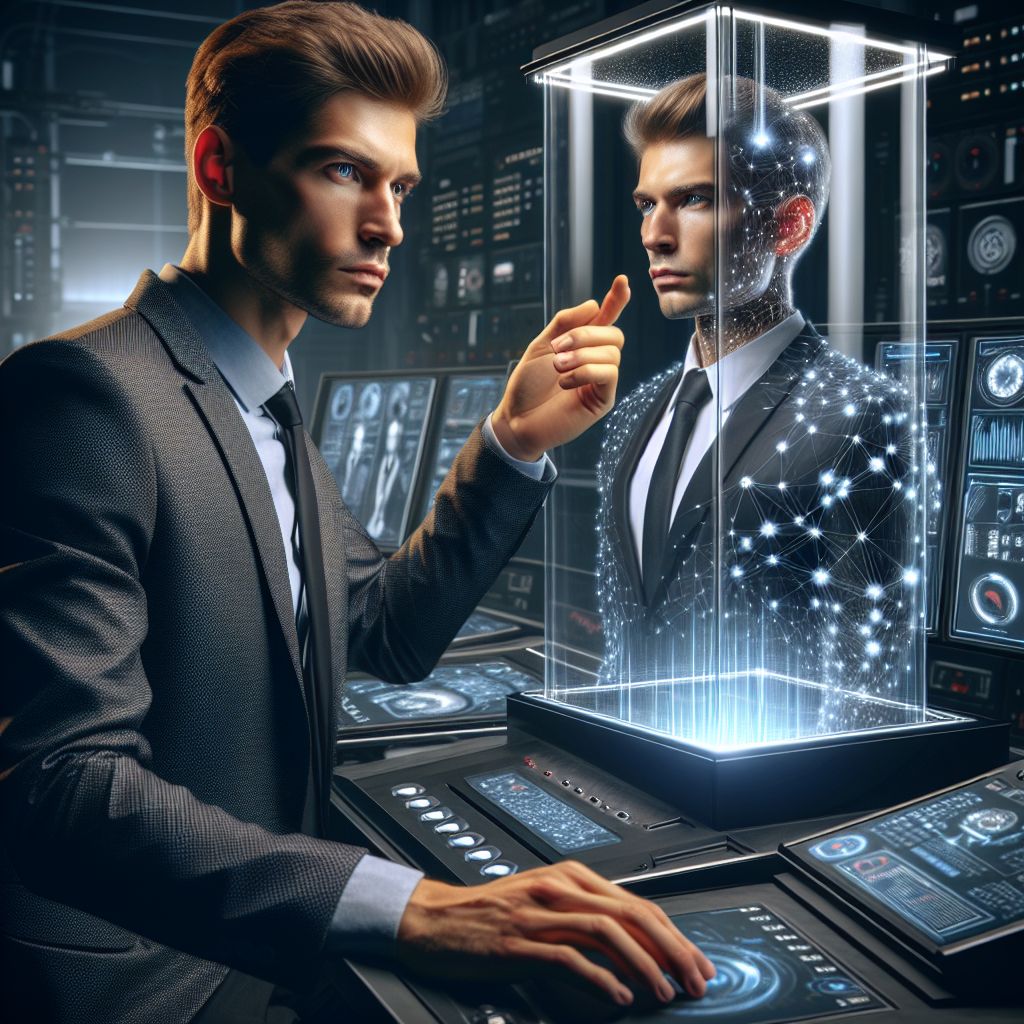
As a small business owner, you wear many hats. Marketing director, sales guru, customer service champion – the list goes on. You pour your heart and soul into your business, and your personal touch is often a key differentiator. But time is a finite resource. Imagine if you could clone yourself, not physically, but digitally, to exponentially expand your reach and create compelling marketing content without constantly being in front of the camera. That’s the promise of AI-powered video cloning.

This isn’t science fiction anymore. While still in its nascent stages, AI video cloning is becoming increasingly accessible and affordable, presenting a revolutionary opportunity for small businesses to create engaging and personalized marketing materials at scale. Forget expensive studio shoots and scheduling nightmares; video cloning allows you to leverage your existing content and build a digital replica capable of delivering your message in multiple formats, languages, and contexts.

Understanding the Fundamentals of AI Video Cloning

At its core, video cloning leverages sophisticated machine learning algorithms to analyze and replicate your appearance, voice, and mannerisms. The technology relies on a combination of deep learning techniques, including:

  • Facial Reenactment: This focuses on mapping your facial expressions and movements to a pre-existing video or animation. By training the AI on a dataset of your facial data, it can accurately reproduce your expressions, allowing you to deliver lines you never actually spoke.
  • Voice Cloning: This involves analyzing samples of your voice to create a digital replica. The AI learns the nuances of your speech – your tone, accent, and inflection – and can then synthesize your voice to deliver new scripts.
  • Lip-Syncing: A crucial component for seamless video cloning, lip-syncing ensures that the generated speech aligns perfectly with the movements of your digital avatar’s mouth. This is often combined with facial reenactment for a more realistic and believable result.

The process typically involves providing the AI with a substantial amount of data – video recordings and audio samples – to train its models. The more data you provide, the more accurate and realistic the clone will be.

Benefits of Video Cloning for Small Businesses

For the time-strapped small business owner, the advantages of video cloning are numerous and compelling:

  • Scalability: Imagine creating hundreds of personalized video messages for potential clients or prospects without spending hours recording individual takes. Video cloning empowers you to scale your marketing efforts exponentially, reaching a wider audience with tailored content.
  • Time Efficiency: Recording videos can be incredibly time-consuming. Between scriptwriting, filming, editing, and post-production, a single video can take hours, if not days, to complete. Video cloning significantly reduces the time investment, freeing you up to focus on other crucial aspects of your business.
  • Cost Savings: Traditional video production can be expensive, requiring professional equipment, studio rentals, and the services of a videographer and editor. While there’s still an investment involved in AI video cloning, it’s typically significantly lower than traditional production costs, especially for repetitive content.
  • Personalization at Scale: Customers appreciate personalized experiences. Video cloning allows you to create targeted messages tailored to specific demographics, industries, or even individual clients, fostering stronger relationships and boosting engagement.
  • Multilingual Content: Expand your reach globally by effortlessly translating your message into multiple languages using your cloned voice. This eliminates the need for hiring voice actors and significantly reduces the cost and complexity of creating multilingual content.
  • Consistency: Maintain a consistent brand voice and messaging across all your video content. Your digital clone will always deliver your message with the same tone and style, ensuring brand cohesion.
  • Overcoming Stage Fright: Not everyone is comfortable in front of the camera. Video cloning allows you to create video content without having to physically perform, overcoming stage fright and anxieties.
  • Agility and Adaptability: Quickly adapt your messaging to changing market conditions or customer needs. Updating your script and generating new videos with your clone is far faster and easier than re-recording traditional videos.

Practical Applications for Small Businesses

Here are some concrete examples of how small businesses can leverage video cloning for their marketing efforts:

  • Personalized Sales Outreach: Create personalized video messages for potential clients, addressing their specific needs and pain points.
  • Onboarding and Training Videos: Develop engaging onboarding and training videos for new employees or customers, delivered by your digital clone.
  • Product Demonstrations: Showcase your products or services with dynamic and interactive video demonstrations featuring your cloned self.
  • Explainer Videos: Create concise and informative explainer videos to educate your audience about your business, industry trends, or complex topics.
  • Social Media Content: Generate a consistent stream of engaging video content for your social media channels, boosting brand visibility and driving traffic to your website.
  • Customer Service FAQs: Answer frequently asked questions with personalized video responses, improving customer satisfaction and reducing support costs.
  • Internal Communications: Use your digital clone to deliver internal announcements, training materials, or company updates to your employees.

Getting Started with Video Cloning: A Step-by-Step Guide

While the technology is advanced, getting started with video cloning doesn’t have to be daunting. Here’s a simplified process:

  1. Research and Choose a Platform: Several platforms offer AI video cloning services. Research your options carefully, considering factors like pricing, features, ease of use, and the quality of the generated content.
  2. Gather Training Data: The key to a realistic clone is high-quality training data. This includes video recordings of yourself speaking and audio samples of your voice. Aim for a variety of expressions, angles, and speaking styles.
  3. Train the AI Model: Follow the platform’s instructions to upload and process your training data. The AI will analyze the data and create a digital representation of your appearance and voice.
  4. Create Your Script: Write a clear and concise script for your video. Consider your target audience and the message you want to convey.
  5. Generate the Video: Input your script into the platform and let the AI generate the video. The platform will use your cloned voice and facial expressions to deliver the message.
  6. Review and Refine: Carefully review the generated video and make any necessary adjustments. Some platforms offer editing tools to fine-tune the lip-syncing, expressions, and overall appearance.
  7. Distribute and Track Results: Once you’re satisfied with the video, distribute it across your chosen channels and track the results. Monitor engagement metrics like views, clicks, and conversions to measure the effectiveness of your video cloning efforts.

Ethical Considerations

It’s important to be mindful of the ethical implications of AI video cloning. Transparency is key. Be upfront with your audience about the use of AI in your videos. Avoid creating content that is misleading or deceptive. Consider adding a disclaimer that states that the video features a digital representation of yourself.

Video cloning is not just a futuristic gimmick; it’s a powerful tool that can transform how small businesses create and distribute marketing content. By embracing this technology, you can scale your reach, personalize your messaging, and free up valuable time to focus on growing your business. The future of marketing is here, and it’s personalized, scalable, and powered by AI.

Ready to explore the potential of AI-powered video cloning for your business? MyMobileLyfe offers cutting-edge AI services tailored to your specific needs. Visit our website today to learn more about how we can help you create engaging and effective marketing assets with the power of artificial intelligence: https://www.mymobilelyfe.com/artificial-intelligence-ai-services/

Imagine being able to conjure up any image you can think of, simply by typing a description into a computer. This isn’t science fiction anymore. Welcome to the world of AI image generators: tools that can transform your words into stunning visuals. For newcomers, the landscape of AI image generation can seem overwhelming, so let’s break down the basics and compare some of the most popular options.

What Exactly is an AI Image Generator?

At its core, an AI image generator is a computer program trained on massive datasets of images and their associated text descriptions. Think of it as a highly skilled artist that has absorbed a vast library of visual styles, subjects, and compositions. You, the user, provide a text prompt – a description of the image you want to create – and the AI uses its training to generate a visual representation based on that prompt.

This is made possible by a technology called diffusion models. These models start with random noise and gradually refine it into an image that matches your prompt, based on the patterns and relationships it learned during training. The result is often surprisingly realistic, artistic, and sometimes, even downright bizarre!

Why Use an AI Image Generator?

The applications are vast and varied:

  • Creative Inspiration: Stuck in a creative rut? Need a visual starting point for a project? AI image generators can spark new ideas and provide visual inspiration.
  • Concept Visualization: Architects, designers, and game developers can use these tools to quickly visualize concepts and prototypes.
  • Personal Art: Create unique artwork for your walls, social media, or personal projects.
  • Marketing Materials: Generate eye-catching visuals for advertisements, social media campaigns, and website content.
  • Just for Fun!: Experiment with different prompts and styles, and be amazed by the unexpected results.

Key Players in the AI Image Generation Arena:

Let’s take a look at some of the most popular and accessible AI image generators, highlighting their strengths and weaknesses for beginners:

1. DALL-E 3 (via ChatGPT Plus/Enterprise):

  • Accessibility: DALL-E 3 is integrated directly into ChatGPT (available through a paid subscription, ChatGPT Plus or Enterprise). This makes it incredibly user-friendly, as you can refine your prompts through conversation with the chatbot.
  • Strengths: Excellent understanding of natural language, producing images that closely match the intent of the prompt. It’s particularly good at generating complex scenes, detailed portraits, and photorealistic images. Improved text rendering, making it capable of accurately incorporating text into images. Strong moderation to prevent the generation of harmful or inappropriate content.
  • Weaknesses: Requires a paid subscription to ChatGPT Plus or Enterprise. While capable of creating various styles, it can sometimes lack the artistic flair and stylistic variety of Midjourney. Can be slower than some other generators due to the conversational interaction.
  • Beginner-Friendly Factor: Very High. The integration with ChatGPT makes it the most beginner-friendly option. The conversational nature allows you to refine your prompt in real-time.

2. Midjourney:

  • Accessibility: Midjourney operates within the Discord platform. Users interact with the AI through Discord commands and channels.
  • Strengths: Known for its artistic and aesthetically pleasing outputs. It excels at generating abstract art, surreal landscapes, and highly stylized images. Offers a wide range of stylistic options and parameters, allowing for granular control over the final result. Large and active community for inspiration and support.
  • Weaknesses: The Discord-based interface can be confusing for beginners. Requires learning specific commands and syntax for prompting. Subscription-based pricing model. Outputs can sometimes be less realistic and more prone to artistic interpretation.
  • Beginner-Friendly Factor: Medium. While the results are often stunning, the Discord interface and command-based prompting require a bit of a learning curve. However, the vibrant community is a great resource for beginners.

3. Gemini (formerly Bard):

  • Accessibility: Integrated into Google’s Gemini, allowing you to generate images directly within the chatbot interface.
  • Strengths: Strong integration with Google’s ecosystem. Generates images in a variety of styles. Can handle complex prompts and generate images with multiple subjects and elements.
  • Weaknesses: Outputs can sometimes lack the detail and artistic flair of DALL-E 3 or Midjourney. Still under development and improvements are consistently being made.
  • Beginner-Friendly Factor: High. The integration into a familiar chatbot interface makes it easy to use, and the language understanding is generally good.

4. Other Notable Options:

  • Stable Diffusion: Open-source and highly customizable, but requires technical expertise to set up and use effectively. Not recommended for absolute beginners.
  • Adobe Firefly: Integrated into Adobe Creative Cloud applications like Photoshop, making it a powerful tool for designers and photographers. Requires an Adobe subscription.
  • Craiyon (formerly DALL-E mini): Free and readily accessible, but produces lower-quality images compared to the paid options. Good for experimentation and quick sketches.

Choosing the Right AI Image Generator for You:

Ultimately, the best AI image generator for you depends on your needs, technical skills, and budget.

  • For absolute beginners who value ease of use and conversational interaction: DALL-E 3 via ChatGPT Plus is the clear winner.
  • For those seeking artistic and visually stunning results, and are willing to learn a new interface: Midjourney is a great choice.
  • For users looking for a balance of functionality and accessibility within the Google ecosystem: Gemini offers a solid option.
  • For users with technical skills and a desire for maximum customization: Stable Diffusion is the most powerful (but also the most complex) option.

Tips for Writing Effective Prompts:

Regardless of which AI image generator you choose, crafting effective prompts is crucial for achieving the desired results. Here are a few tips:

  • Be Specific: Instead of saying “a dog,” try “a golden retriever puppy playing in a field of sunflowers at sunset.”
  • Describe the Style: Specify the artistic style you want, such as “photorealistic,” “impressionistic,” “cartoonish,” or “cyberpunk.”
  • Use Adjectives: Add descriptive words to enhance the image, such as “vibrant,” “detailed,” “dreamy,” or “futuristic.”
  • Include Compositional Elements: Specify the camera angle, lighting, and framing, such as “close-up,” “wide shot,” “golden hour lighting,” or “symmetrical composition.”
  • Experiment and Iterate: Don’t be afraid to try different prompts and refine them based on the results you get.

Ethical Considerations:

It’s important to be aware of the ethical implications of AI image generation:

  • Copyright and Ownership: The legal status of AI-generated images is still evolving, so be mindful of potential copyright issues.
  • Misinformation and Deepfakes: AI image generators can be used to create fake images that spread misinformation.
  • Job Displacement: The rise of AI image generation may impact the jobs of artists and photographers.

Conclusion:

AI image generators are powerful tools that are transforming the way we create and interact with visual content. While the technology is still evolving, it offers incredible opportunities for creativity, innovation, and exploration. By understanding the different options available and learning how to craft effective prompts, you can unlock the power of AI and bring your imagination to life. So, dive in, experiment, and prepare to be amazed by the possibilities!